Core Web Vitals Explained: LCP, INP, CLS in 2026
**7,950 organic clicks/month, 557,000 impressions/month, and a 1.4% CTR do not happen by accident.** Core Web Vitals are one of the few page-experience signals you can measure, fix, and verify in GSC and CrUX with real numbers.
What Core Web Vitals are
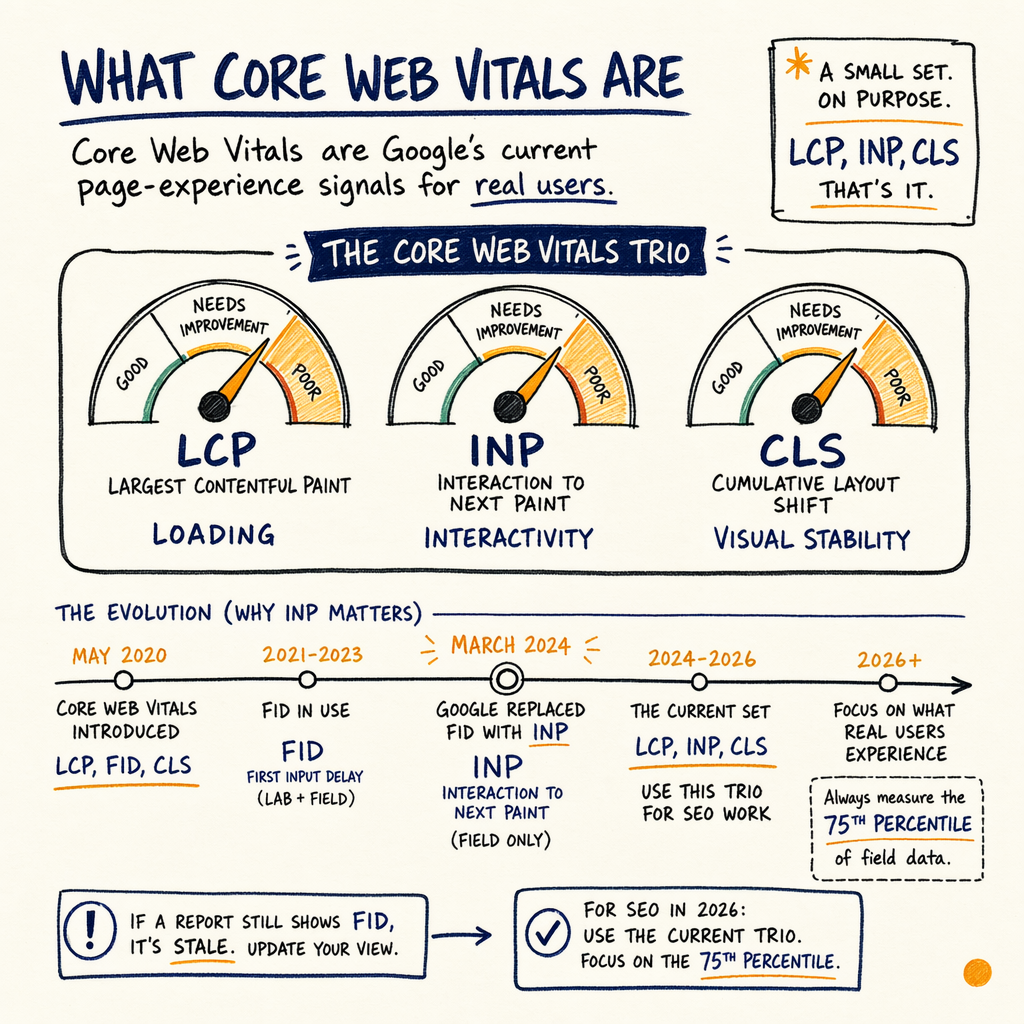
Core Web Vitals are Google’s current page-experience signals for real users. The set is small on purpose: LCP, INP, and CLS.
Google replaced FID with INP in March 2024, so if a report still shows FID, it is stale. For SEO work in 2026, use the current trio and focus on the 75th percentile of field data, not a single lucky page load.
That matters because the site-level picture is often very different from the lab. A page can look fine in Lighthouse and still fail CrUX because real users have slower devices, worse networks, blocked scripts, or broken layout behavior.
If you want the short version: Core Web Vitals are not a vanity score. They are a debugging queue. Start with the metric that is actually failing, then fix the cause, not the symptom.
LCP, INP, and CLS
LCP: largest contentful paint
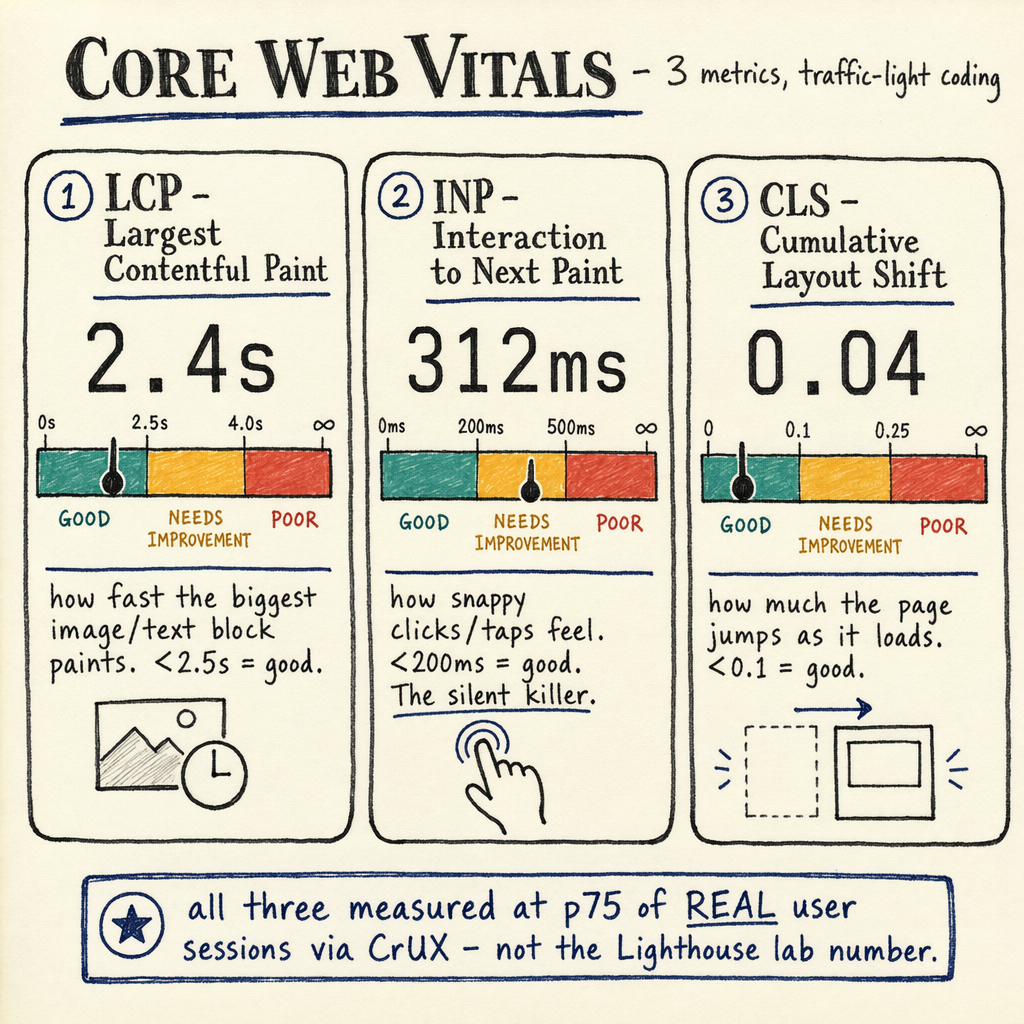
LCP measures when the main content appears. Good is 2.5s or less at the 75th percentile. If your hero image, headline, or first product block loads late, LCP moves late.
INP: interaction to next paint
INP measures how fast the page responds to clicks, taps, and key presses. Good is 200ms or less. Long tasks, third-party scripts, and heavy hydration often push it over.
CLS: cumulative layout shift
CLS measures visual instability. Good is 0.1 or less. Missing image dimensions, injected banners, and late-loading embeds are the usual culprits.
Thresholds are field-based
Google evaluates these using real-user field data, not just synthetic runs. That means your p75 numbers from CrUX and GSC matter more than a single Lighthouse report.
How Google measures them
The important distinction is field data vs lab data. Field data comes from real Chrome users and shows what actually happened on real devices. Lab data comes from a test run in a controlled environment.
Use Lighthouse, DevTools, and synthetic tests to debug. Use GSC and CrUX to decide whether the fix mattered. That sequence keeps you from optimizing for a fast lab score that real users never experience.
In Performance › Search results, you will see how pages trend over time. In Experience › Core Web Vitals, you will see whether URLs are passing or failing at the site level. The audit should always start with those two reports, then move to Settings › Crawl stats if you suspect rendering or crawl pressure.
For a site like enzymes.bio, this kind of triage is not academic. The site has 16,100 indexed pages, 591,000 not indexed, 0 external backlinks, and 35 languages via TranslatePress. When the crawl footprint is that wide and backlinks are the rate-limiter, technical waste can hide in plain sight.
Field data vs lab data
| Signal | Field data | Lab data |
|---|---|---|
Source | CrUX / GSC real-user data | Lighthouse / DevTools synthetic test |
Use case | Decide if users are actually affected | Find the cause of a bad metric |
Device/network | Mixed devices, mixed networks | Single test profile unless you change it |
Best for | p75 pass/fail tracking | Debugging LCP, INP, CLS mechanics |
Risk | Noise from traffic mix and seasonality | False confidence from a clean local run |
Why CWV matters for SEO
Core Web Vitals are not a magic ranking shortcut. They are a quality filter. If two pages are otherwise close, the better page-experience signals can help; if your content and links are weak, CWV will not rescue you.
That is why the real SEO question is not “Do I have a green score?” It is “Is the page fast enough and stable enough that Google and users can actually engage with the content?”
The enzymes.bio numbers make that concrete. The site logged 7,950 organic clicks in May 2026, up from 2,770 in May 2025 for a +187% gain, with 557,000 impressions/month, 1.4% sitewide CTR, and average position 12.4 overall. In May 2026 specifically, the average position was 11.8. That is the range where better CWV, cleaner rendering, and better clickability can help the page earn more of the demand it already sees.
There is also a practical link to revenue. The site has generated 943 orders, $240,809 lifetime revenue, and a $255 AOV. If a product page loads slowly, shifts while the user is reading, or responds badly to taps, you are not just losing a page score. You are losing orders.
What to fix first
- 01
Start with the failing metric
Do not fix everything at once. If LCP is failing, attack the render path. If INP is failing, inspect long tasks and third-party scripts. If CLS is failing, look for late inserts and missing dimensions.
- 02
Check the p75 field number
The site passes or fails on the 75th percentile in field data. A fast homepage and a slow category template are not the same problem, and they should not get the same fix.
- 03
Validate in lab tools
Use Lighthouse and DevTools to reproduce the bottleneck. Focus on request waterfalls, main-thread blocking, image delivery, and layout shifts. You want a cause you can repeat.
- 04
Ship one change and recheck
A good audit isolates one change, then rechecks the same URL set. That makes it obvious whether the fix improved the metric or just moved noise around.
How to check in GSC
{
  "reports": [
    "Performance › Search results",
    "Experience › Core Web Vitals",
    "Settings › Crawl stats",
    "Indexing › Pages",
    "Indexing › Sitemaps",
    "Links › External links"
  ],
  "workflow": [
    "Open Experience › Core Web Vitals and note failing templates",
    "Compare them to Performance › Search results for clicks and impressions",
    "Check Indexing › Pages for excluded URLs and rendering issues",
    "Review Settings › Crawl stats for crawl spikes, response time, and fetch behavior",
    "Use Links › External links to confirm whether authority is the real bottleneck"
  ],
  "note": "Field data wins. Lighthouse is for diagnosis, not verdicts."
}
How to read GSC
If Experience › Core Web Vitals says a template is failing, ask three questions:
- Is the failure concentrated on mobile?
- Is it limited to a template type, not a whole site?
- Is the issue LCP, INP, or CLS?
Indexing › Pages to check whether the same URLs are also excluded, duplicated, or blocked in a way that changes how Google sees them. If the affected pages are important landing pages, the fix priority goes up fast.
A technical SEO audit should also look at Settings › Crawl stats. If response time is rising or fetches are wasting cycles on low-value URLs, Google may spend less attention on the pages you care about.
This is especially relevant on multilingual WordPress setups. On a site like enzymes.bio, 35 languages via TranslatePress means template consistency matters. A small change in one template can fan out across hundreds of localized URLs. If you work in WordPress, see WordPress technical SEO patterns and the remediation path in Core Web Vitals fixes.
Fixes that move metrics
LCP: compress the critical path
Preload the hero image when it is the LCP element, shorten TTFB, remove render-blocking CSS, and serve the above-the-fold image in the right dimensions. For image-heavy sites, see LCP image optimization for WordPress.
INP: cut main-thread work
Break up long tasks, delay non-essential scripts, reduce third-party tags, and avoid heavy event handlers. If a chat widget or analytics stack blocks interaction, isolate it and measure again. Start with fix INP third-party scripts.
CLS: reserve space early
Set width and height on images and embeds, reserve banner space, and avoid injecting UI above existing content. For a deeper teardown, use fix CLS layout shifts.
Templates beat one-off patches
Fix the template, not just the page. One corrected product template can improve hundreds or thousands of URLs across the same content type.
DevTools snippet
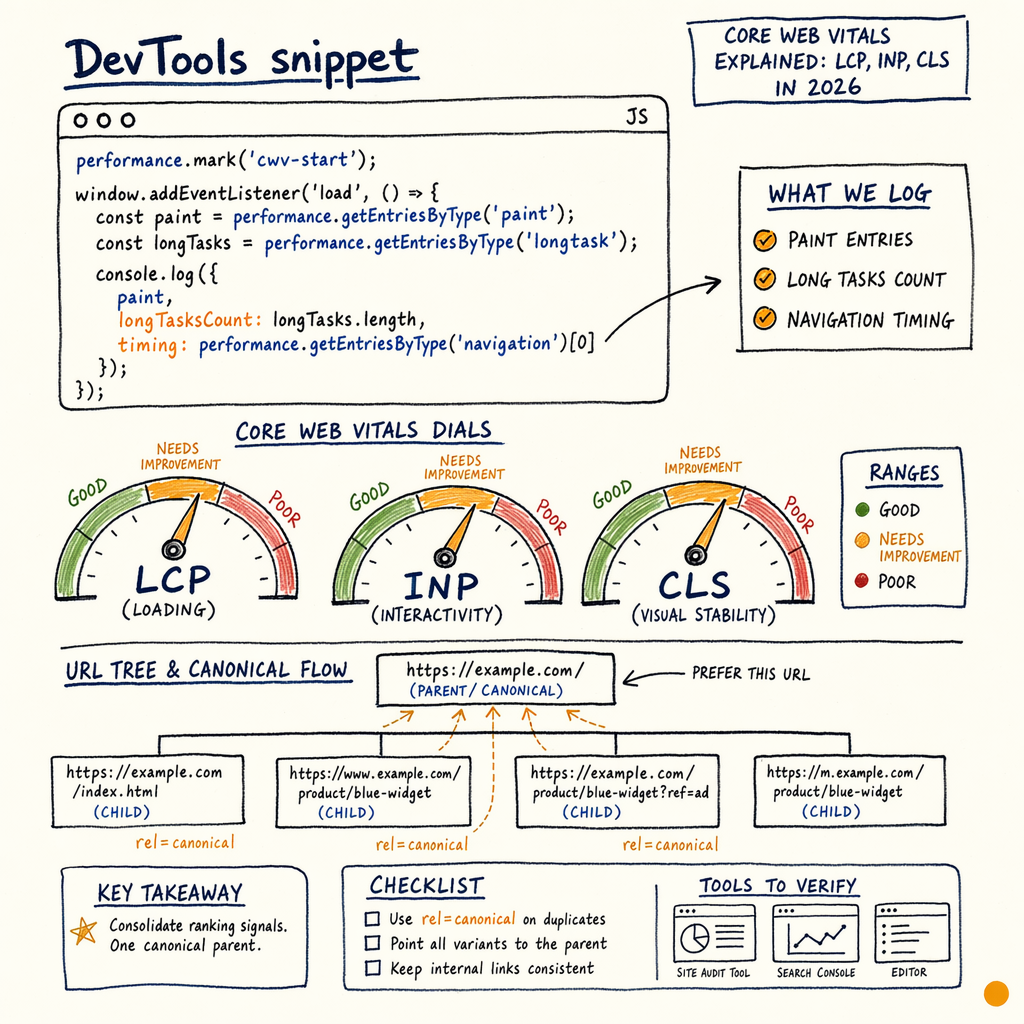
performance.mark('cwv-start');
window.addEventListener('load', () => {
  const paint = performance.getEntriesByType('paint');
  const longTasks = performance.getEntriesByType('longtask');
  console.log({
    paint,
    longTasksCount: longTasks.length,
    timing: performance.getEntriesByType('navigation')[0]
  });
});

// Use this alongside Lighthouse and GSC.
// Do not treat a single local run as field truth.Common questions
Are Core Web Vitals a ranking factor?
They are part of page-experience signals, so they can help when pages are otherwise close. They are not a substitute for relevance, links, or intent match.
What replaced FID?
INP replaced FID in March 2024. If a tool still reports FID, treat it as legacy reporting and switch the audit to INP.
Why does my Lighthouse score look good but GSC is red?
Lighthouse is a lab measure. GSC uses field data, which reflects real users, real devices, and real networks. Field data wins.
What does p75 mean?
It means 75% of real-user page loads are at or better than that number. Google uses p75 to judge whether a page experience signal passes.
Should you fix CLS before LCP?
Not by default. Fix the metric that fails hardest on the pages that matter most. If CLS is causing layout instability on checkout or product pages, it may outrank LCP.
How do you know which fix worked?
Ship one template-level change, then recheck the same URL set in Experience › Core Web Vitals and Performance › Search results. The trend should move in field data, not just in a lab test.