Core Web Vitals fix service for LCP, INP, CLS
**Your pages are missing Good in field data, and Google is telling you exactly where it hurts.** This core web vitals fix service turns `LCP`, `INP`, and `CLS` failures into a measurable remediation plan, built from `Search Console` and shipped with no guesswork.
What gets fixed
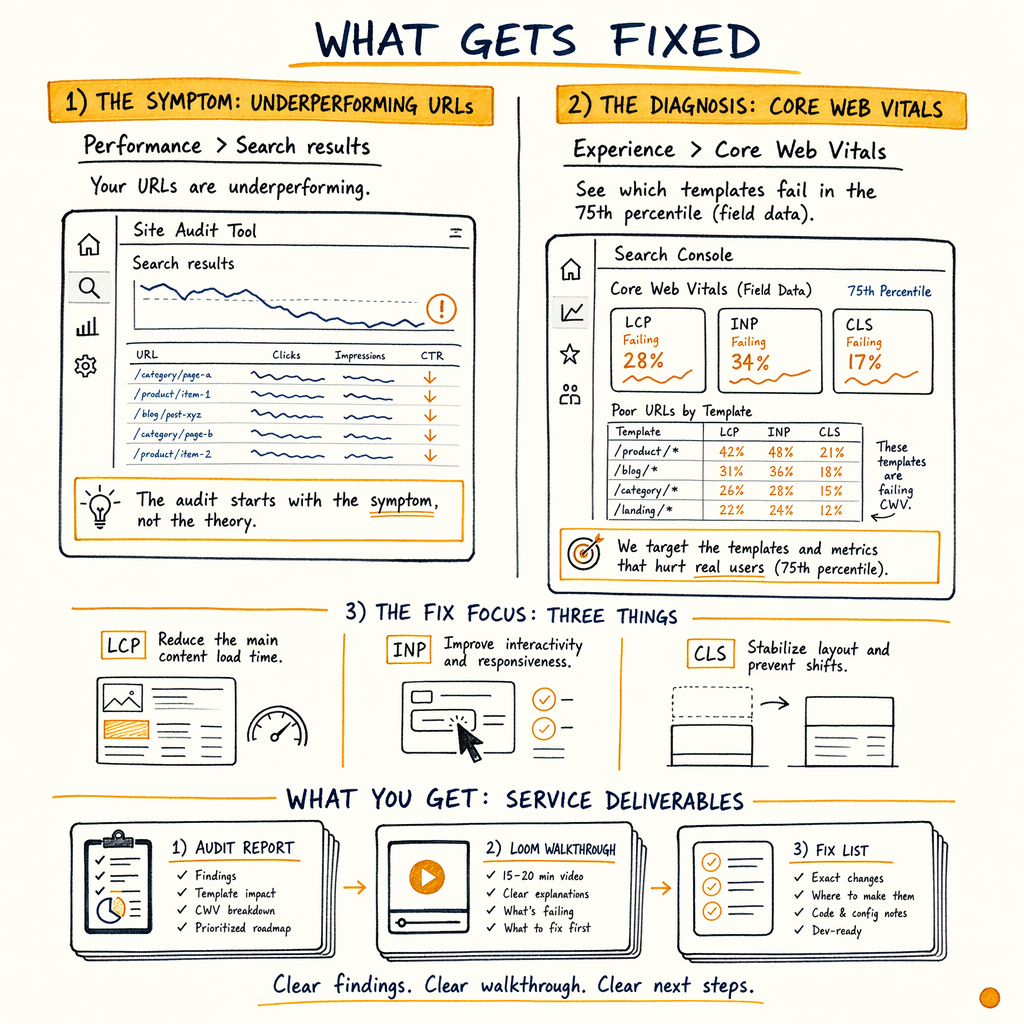
The audit starts with the symptom, not the theory: Performance › Search results says your URLs are underperforming, and Experience › Core Web Vitals shows which templates fail in the 75th percentile field dataset.
A typical fix core web vitals engagement targets three things:
- LCP: reduce the main content render time by compressing hero media, removing render-blocking CSS, and serving the right asset size.
- INP: cut input delay by deferring heavy scripts, splitting long tasks, and reducing main-thread work.
- CLS: reserve layout space, stabilise fonts, and stop late-loading modules from shifting the viewport.
What the service includes
Field-data triage
I map failing URL groups in Experience › Core Web Vitals, then confirm which ones actually matter in Performance › Search results. The goal is to stop chasing lab-only noise and fix the template types with real organic exposure.
LCP remediation plan
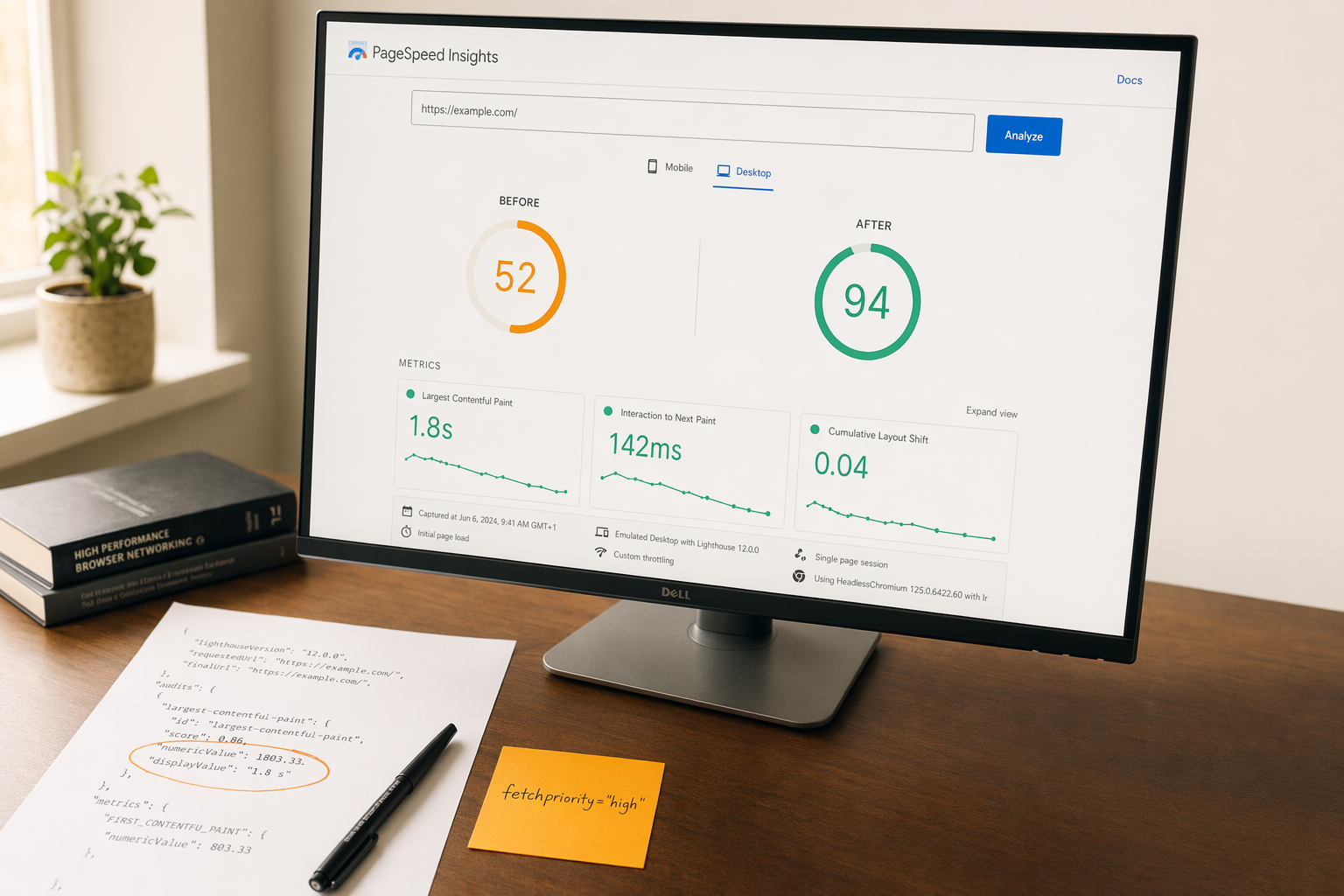
The lcp optimization service work usually starts with the hero block, product image, or above-the-fold background. I check image dimensions, preload rules, fetchpriority, CSS blocking, and server response time.
INP investigation
The inp fix work traces long tasks, third-party bundles, event handlers, and hydration overhead. If a script can wait until after interaction, it should not block the first interaction.
CLS audit and fixes
The cls fix pass checks images without dimensions, injected banners, sticky elements, custom fonts, and late content insertion. The point is to reserve space before the page paints.
Template-level implementation notes
The output is not a vague checklist. It is a page-type-specific implementation brief for CMS, frontend, and dev teams, with exact selectors, file targets, and test instructions.
Notion-delivered audit
Deliverables are written in Notion so the audit can be searched, commented on, and handed to developers without reformatting. The notes stay close to the code, metrics, and ticket scope.
Five-step process
- 01
Collect the field data
Start with
Experience › Core Web Vitals,Performance › Search results, andSettings › Crawl stats. I want the URL groups, device split, and the crawl signals before I talk about code. If Google only sees a subset of the site as problematic, the fix should match that subset. - 02
Identify the bottleneck
Each failing group gets classified by root cause: LCP asset selection, render-blocking CSS, JS execution, font shifts, layout injections, or third-party delay. This avoids the common mistake of 'optimising' a fast page while the slow template remains untouched.
- 03
Map fixes to templates
The audit maps each issue to a template or component, such as homepage hero, category grid, product page, article page, or translated variant. That is where the work becomes actionable for development, because a template map is easier to ship than a list of vague recommendations.
- 04
Validate in code and lab
I verify fixes with DevTools, source output, and repeat field checks. A typical validation bundle includes image size checks, CSS coverage review, long-task inspection, and element stability tests. You get a before/after view that shows what changed and why.
- 05
Monitor the recovery curve
After rollout, the site is rechecked in
Experience › Core Web VitalsandPerformance › Search results. Good status usually lags implementation, so the job is to watch the trend line and catch regressions before they become sitewide.
Why field data wins
| Field | Lab-only fix | GSC-first fix |
|---|---|---|
What it measures | Synthetic test on one device | Real users across URL groups |
Best for | Early debugging | Prioritised remediation |
Risk | False confidence | Lower, because it tracks impact on search-visible pages |
Evidence | Single waterfall |
|
Outcome | Faster test runs | Better odds of moving URLs into Good |
What changes on-page
The implementation list usually looks boring, which is a good sign. Boring fixes ship.
For LCP, that means image compression, modern formats where they fit, smaller hero crops, server-side rendering where appropriate, and CSS that lets the key content paint first. For INP, it means fewer blocking listeners, slimmer bundles, and delayed third-party scripts. For CLS, it means explicit dimensions, reserved slots for ads or banners, and font loading that does not cause reflow.
On WordPress, the fix often includes theme output changes and plugin audits. On Shopify or custom builds, the same issue may live in app embeds, component composition, or unnecessary hydration. If your site is on WordPress, the context notes often pair with WordPress SEO because the template and plugin layer usually drives the problem.
The point is not to chase a perfect score in lab tools. The point is to reduce the number of failing URL groups in GSC and make the page stable enough that Google keeps it in the good bucket.
Example GSC checks
curl -s 'https://searchconsole.googleapis.com/webmasters/v3/sites/https%3A%2F%2Fexample.com/searchAnalytics/query' \
  -H 'Authorization: Bearer $ACCESS_TOKEN' \
  -H 'Content-Type: application/json' \
  -d '{
    "startDate": "2026-05-01",
    "endDate": "2026-05-31",
    "dimensions": ["page"],
    "rowLimit": 10,
    "dimensionFilterGroups": [{
      "filters": [{
        "dimension": "page",
        "operator": "contains",
        "expression": "/product/"
      }]
    }]
  }'

# Check sitemap coverage and matching URL sets in:
# Indexing › Sitemaps
# Indexing › Pages
# Experience › Core Web VitalsPricing and engagement
Pricing depends on how many templates fail, how messy the frontend stack is, and whether the site needs both diagnosis and recovery. A small audit may only need a focused review of a single template family. A larger recovery engagement usually includes retesting after implementation and a second pass if the first rollout misses the target.
The minimum useful engagement is usually an audit from $1,500. If the site needs hands-on remediation support, recovery engagements start at $5,000. That price reflects the work involved in tracing issues from GSC into source code, component logic, and deployment sequencing.
If you are deciding between a broader site review and a direct performance fix, start with services and choose the path that matches the bottleneck.
What success looks like
More URLs in Good
The target is a larger share of URLs moving into Good in Experience › Core Web Vitals, especially on the templates that earn organic traffic.
Cleaner CTR path
When pages render faster and stay stable, searchers get a better first interaction. On enzymes.bio, the sitewide result set already shows 557,000 impressions/mo with 1.4% CTR; page experience work is about converting that visibility into clicks more efficiently.
Better crawl efficiency
If the site is wasting server resources on heavy templates, Settings › Crawl stats often reflects the drag. Fixing response and render overhead helps Google process the site more cleanly.
Less regression risk
A good remediation plan includes guardrails: image rules, script budgets, and layout checks so the same issue does not come back after the next release.
WordPress and ecom notes
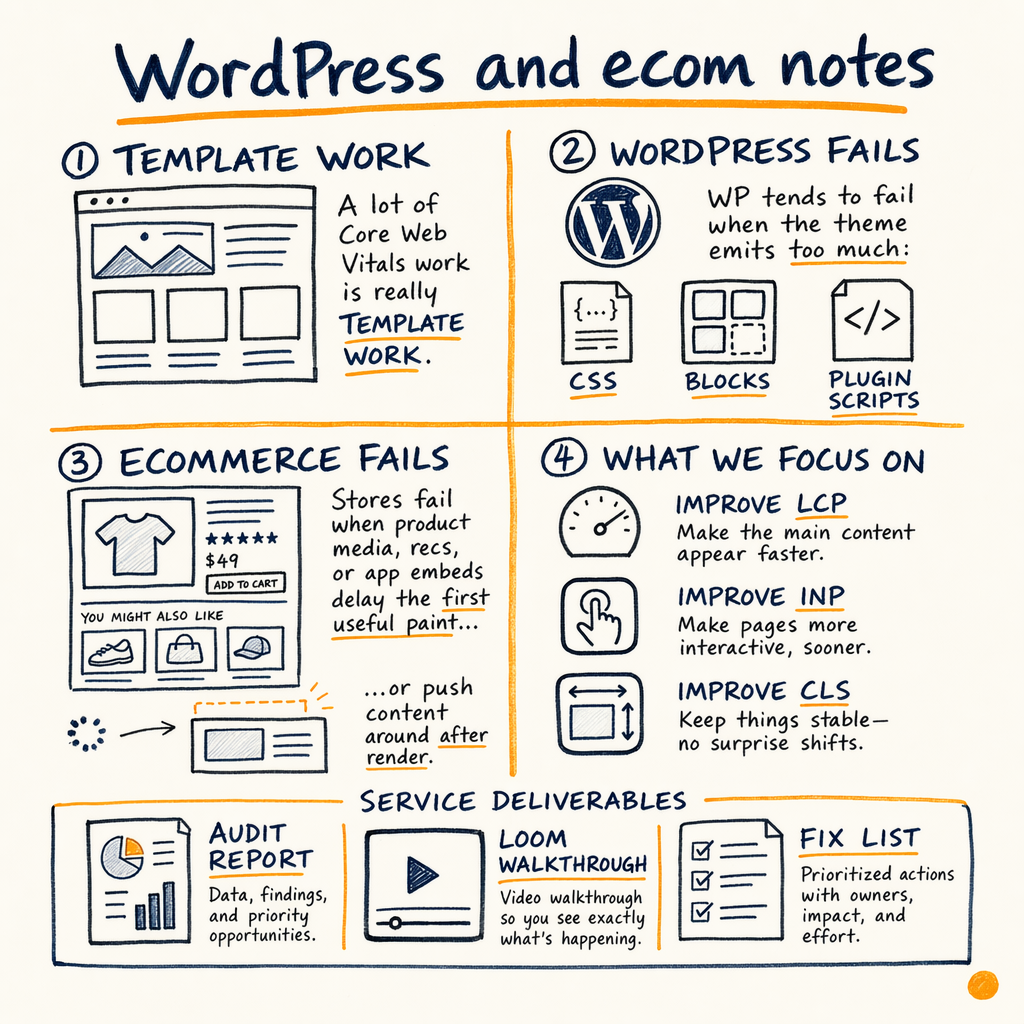
A lot of core web vitals work is really template work. WordPress tends to fail when the theme emits too much CSS, too many blocks, or too many plugin scripts. Ecommerce stores fail when product media, recommendation widgets, or app embeds delay the first useful paint or push content around after render.
The fix plan is different in each case. For WordPress, the audit may call out theme partials, font loading, and plugin order. For ecommerce, the priority is often product images, variant modules, review widgets, and late banners. The common thread is that the template has to stop fighting the browser.
If you need context on the broader technical stack first, start with technical SEO audit. If the site already has the diagnosis and just needs remediation, the core web vitals work can run as a stand-alone engagement.
FAQ
Do you fix core web vitals based on lab scores or field data?
Field data first. Experience › Core Web Vitals tells you which URL groups Google sees as failing, and Performance › Search results shows whether those URLs are worth the effort. Lab tools are useful for debugging, but they do not replace the GSC view.
What do you need to start a core web vitals fix service?
A Search Console property, access to the CMS or repo, and one or two target template types. If the site has multiple languages or markets, I also need to know which variants carry revenue or organic clicks so the work stays focused.
How fast can LCP, INP, or CLS improve?
Small template fixes can land in the first sprint, but GSC often takes time to reflect the change. A page can be fixed in code in a few hours and still need days or weeks to move from Poor or Needs improvement into Good.
What is the difference between an audit and recovery?
An audit from $1,500 identifies the bottleneck, ranks the fixes, and tells the dev team exactly what to change. Recovery from $5,000 includes hands-on support, rollout validation, and a second pass after deployment if the data does not move.
Can you work on multilingual sites?
Yes. Multilingual sites often fail because the same component behaves differently across languages, fonts, or translation plugins. Enzymes.bio runs 35 languages via TranslatePress, which is exactly the kind of setup where template-level checks matter.
Do you only fix Core Web Vitals?
No. The service is focused on page experience, but the work often overlaps with indexing, crawl budget, internal links, and template quality. When needed, I pair it with a broader technical SEO audit.