Fix CLS: 6 layout shift sources
**If your page jumps after first paint, Google sees it in field data, not your intentions.** CLS is usually a small set of fixable layout shift sources: missing dimensions, font swaps, late banners, ads, animations, and injected UI.
What CLS actually measures
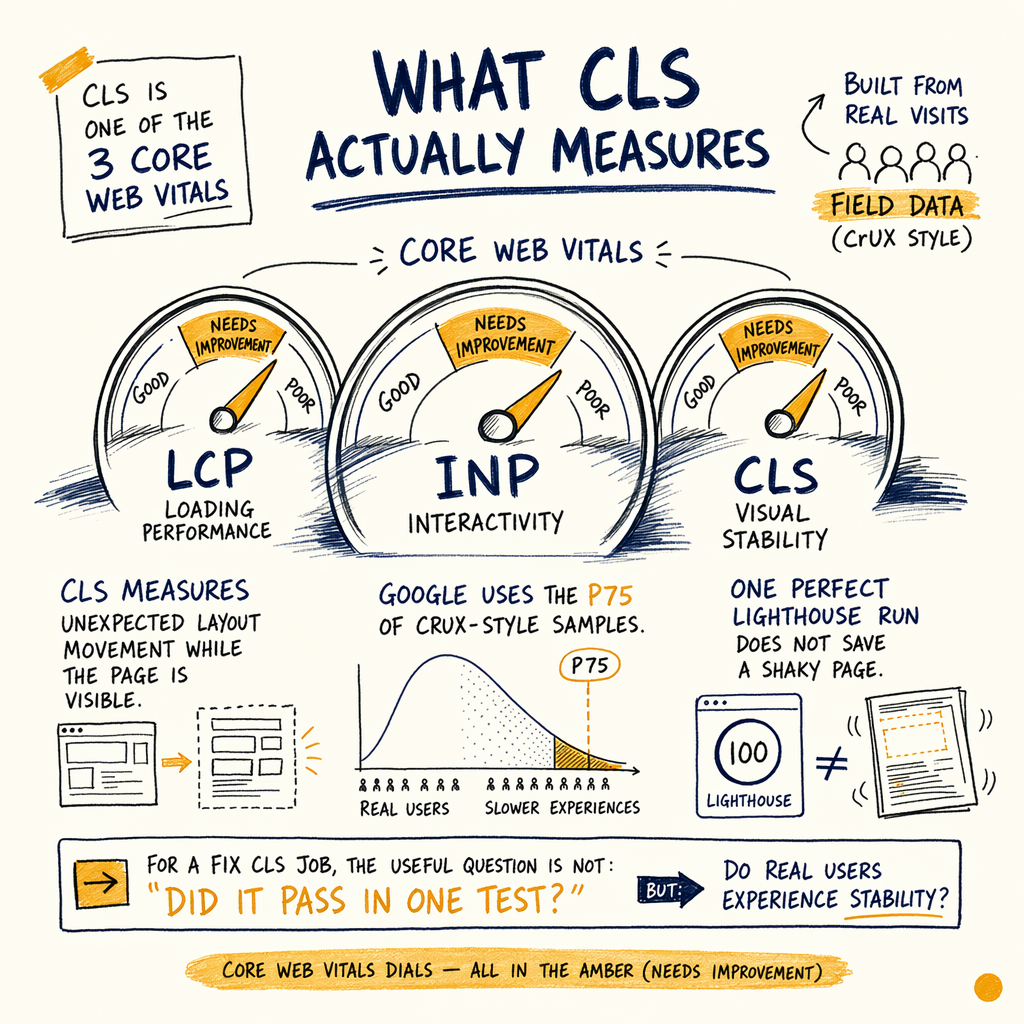
CLS is one of the three Core Web Vitals. It measures unexpected layout movement while the page is visible. Google uses field data from real visits, usually the p75 of CrUX-style samples, so a single perfect Lighthouse run does not save a shaky page.
For a fix CLS job, the useful question is not “did the page score well in lab?” It is “what moved, when, and for how many real visits?” That is why the workflow starts with Performance › Search results, then checks Experience › Core Web Vitals, and finally traces the cause in the browser.
On a site like enzymes.bio, the scale makes this matter fast. It has 7,950 organic clicks/mo in May 2026, 557,000 impressions/mo, 1.4% CTR, and 16,100 indexed pages against 591,000 not indexed. When a template shifts, the damage multiplies across a lot of URLs.
Six common shift sources
Images without dimensions
An image with no fixed width and height lets the browser guess, then correct later. That correction is a layout shift. This is still one of the easiest CLS optimization wins.
Web fonts swapping late
Text can reflow when a fallback font swaps to the final face. If your line length changes, everything below it moves. Use sensible font loading and reserve space for the final metrics.
Late banners and consent UI
Cookie notices, promo bars, and geo prompts often inject at the top of the viewport. If they push content down after render, they create a visible CLS fix target.
Ads and embeds with no slot
Ad slots that appear after content loads are classic layout shift generators. Reserve a box even if the ad never fills. Empty space is cheaper than moving the article.
CSS animations on layout properties
Animating top, left, height, or width triggers reflow. Use transform-based motion instead, so the layout stays stable.
Injected widgets and DOM writes
Third-party widgets that append HTML above the fold can move everything. If the script is not essential, isolate it. If it is essential, load it into a reserved container.
Find shifts in field data
Start with Performance › Search results. Look at the URLs with the worst CLS values, then compare them with Experience › Core Web Vitals. The pattern matters more than the absolute score. If the same template sits in the red across many URLs, you have a template-level bug, not a one-off page issue.
Then inspect Settings › Crawl stats if the template depends on JavaScript. Slow crawl fetches can hide the same problem that real users feel: late-injected content, delayed CSS, or fonts that miss the first paint window.
Use lab tools to reproduce, but do not stop there. Lighthouse can tell you what might shift. GSC tells you whether Google keeps seeing the shift in field data.
Inspect layout shift in DevTools
new PerformanceObserver((list) => {
  for (const entry of list.getEntries()) {
    if (!entry.hadRecentInput) {
      console.log('CLS source', {
        value: entry.value,
        startTime: entry.startTime,
        sources: entry.sources?.map(s => ({
          node: s.node ? s.node.tagName : null,
          previousRect: s.previousRect,
          currentRect: s.currentRect
        }))
      });
    }
  }
}).observe({ type: 'layout-shift', buffered: true });
Fix the top offenders
- 01
Lock media boxes
Set intrinsic dimensions for images, video, iframes, and embeds. If the asset is responsive, keep the aspect ratio stable with CSS so the box is reserved before the file loads.
- 02
Reserve ad and banner space
Give the slot a fixed min-height, then let creative fill inside it. This is especially important on ecommerce pages where a top banner can push product grids below the fold.
- 03
Stabilize font rendering
Use
font-displaycarefully and test the final font metrics. If the fallback and final font are wildly different, reduce the swap impact by matching sizing and line-height. - 04
Replace layout animations
Move motion from layout properties to
transformandopacity. That keeps the element visually active without moving the document flow. - 05
Contain third-party inserts
If a script injects content, place it inside a reserved wrapper. For scripts that are mostly behavioral, compare them with the approach used when fixing INP problems in
learn/fix-inp-third-party-scripts.
Fix images and embeds
The simplest CLS fix is also the most ignored: give every image a box before it loads. In HTML, that means explicit dimensions or a wrapper that preserves the ratio. The same rule applies to embedded video, map iframes, and product media.
For WordPress product and content templates, this often overlaps with learn/lcp-image-optimization-wordpress. A hero image that hurts LCP and shifts layout is doing two jobs badly. Fix the slot once, then confirm both metrics in field data.
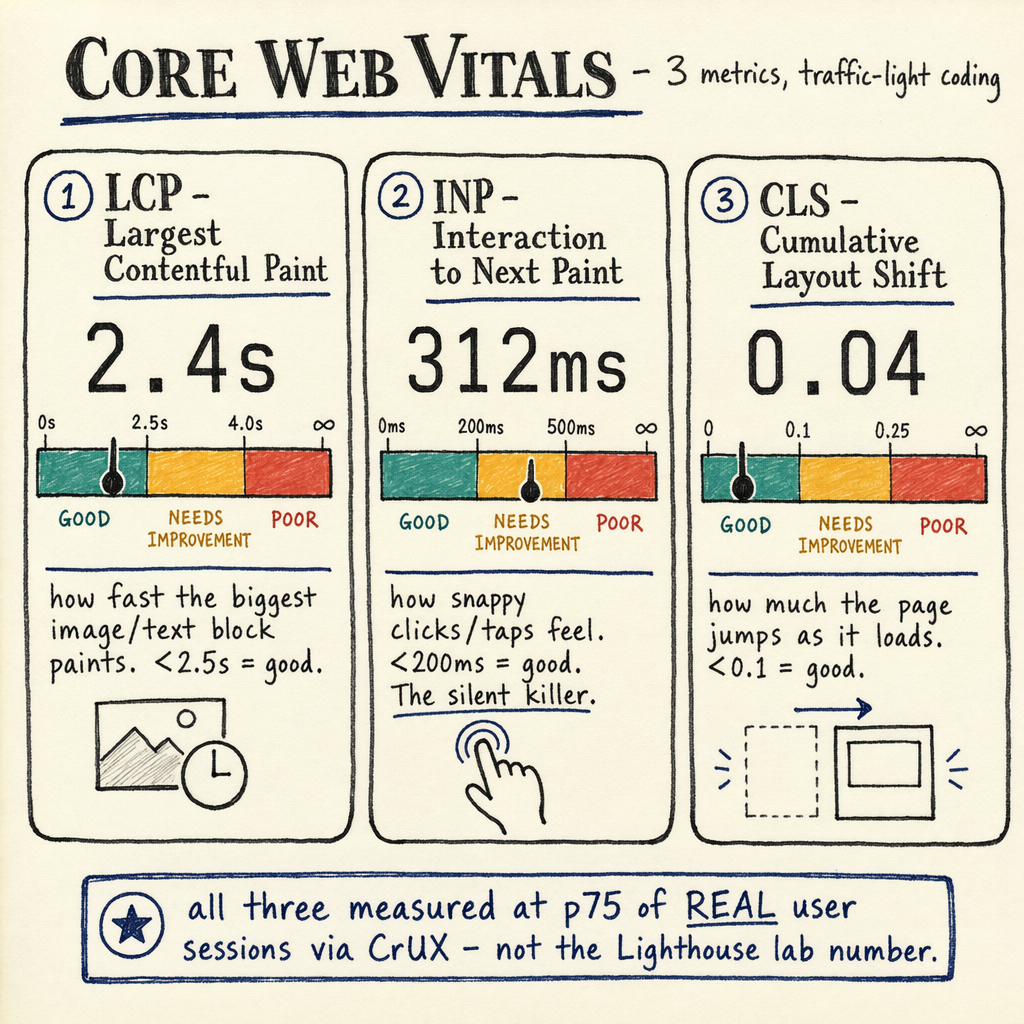
If you need a visual reference, diagram-cwv-3metrics.png helps separate LCP, INP, and CLS. CLS is the one that complains about movement, not speed alone.
Reserve space with HTML
<figure class="media-slot" style="aspect-ratio: 16 / 9;">
  <img
    src="/images/product-hero.jpg"
    alt="Product image"
    width="1600"
    height="900"
    loading="eager"
    fetchpriority="high"
  >
</figure>

<style>
.media-slot {
  width: 100%;
  overflow: hidden;
  background: #f3f4f6;
}
.media-slot img {
  display: block;
  width: 100%;
  height: auto;
}
</style>
Fix fonts, banners, ads
Fonts are the silent CLS source because the page can look fine until the swap happens. If your type system changes widths, the page below it shifts even when the text itself is unchanged. Keep line boxes stable and avoid last-second font file discovery.
Banners and consent UI are just as common. If they render above content, they should reserve space before they appear. If they must float, anchor them so they do not reflow the document. Ads should behave the same way. The page can leave a blank box, but it should not move the article.
For ecommerce pages, compare product pages to the patterns in industries/ecommerce-seo. Product grids, promo strips, and variant selectors create a lot of repeatable shift risk. One bad component can touch thousands of URLs.
Field data vs lab data
| Field | Option A | Option B |
|---|---|---|
Source of truth | CrUX / GSC p75 | Single Lighthouse run |
What it sees | Real user layout shifts | Synthetic page load |
Best use | Prioritizing a CLS fix | Reproducing in a dev build |
Limit | Can lag behind deploys | Can miss real-world injections |
Audit CLS in GSC
GSC is the quickest way to see whether a CLS optimization actually landed. Check Experience › Core Web Vitals for grouped URLs, then use Performance › Search results to spot pages where clicks are healthy but behavior is not. If impressions are high and the page still bounces visually, layout shift is a likely culprit.
On a site with 943 orders to date and $240,809 lifetime revenue, a small template issue can affect money fast. The same is true when a site runs 35 languages via TranslatePress. More locale variants mean more chances for banners, translated text expansion, and different media heights to create shift.
CLS questions
What causes the most CLS problems?
Missing image dimensions, late banners, web font swaps, ads without reserved space, and animations on layout properties cause most layout shift issues.
Does Lighthouse tell me if CLS is fixed?
It helps reproduce the bug, but field data wins. Use Lighthouse for debugging and GSC / CrUX-style p75 data to confirm the real-world outcome.
Can CLS be fixed without redesigning the page?
Usually yes. Most CLS fixes are template-level changes: reserved boxes, font tuning, stable slots, and changing how scripts inject content.
Why do some pages still look fine in lab tests?
Lab tests often miss timing differences, slower devices, cookies, translations, and third-party scripts. Those are common causes of real layout shift.
How do I tie CLS to SEO work?
Start with Indexing › Pages and Performance › Search results, then compare URL groups with the page templates that shift. If the same template is underperforming, fix the shared component.