Fix Crawled Currently Not Indexed in GSC
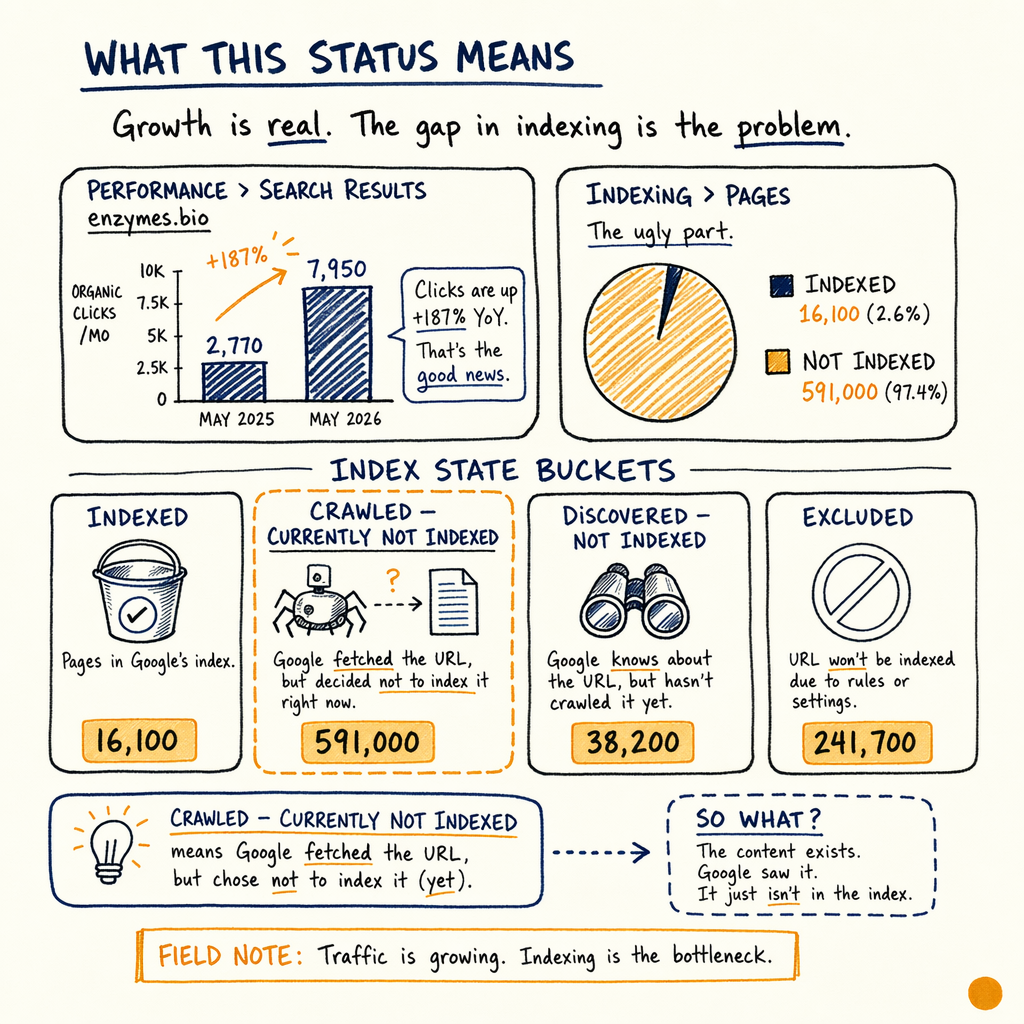
Google crawled the URL and still left it out of the index. On enzymes.bio, the scale is brutal: 16,100 indexed pages, 591,000 not indexed, and 0 external backlinks — the rate-limiter.
What this status means
In Performance › Search results, enzymes.bio is pulling 7,950 organic clicks/mo in May 2026, up from 2,770 in May 2025. That growth is real, but Indexing › Pages still shows the ugly part: 591,000 not indexed pages against 16,100 indexed.
Crawled - currently not indexed means Google fetched the URL, parsed it, and decided not to store it in the index. That is different from a crawl error, and different from Discovered - currently not indexed. Google knows the page exists. It just does not think it deserves index space yet.
The usual causes are boring and measurable: duplicate content, thin content, weak internal signals, no external backlinks, and pages that look like template variants. On enzymes.bio, Links › External links shows 0 external backlinks, which makes every internal signal matter more.
Read GSC rows correctly
Open Indexing › Pages and read the row labels literally. The report is not one bucket. It is a set of different failure modes.
Use this map:
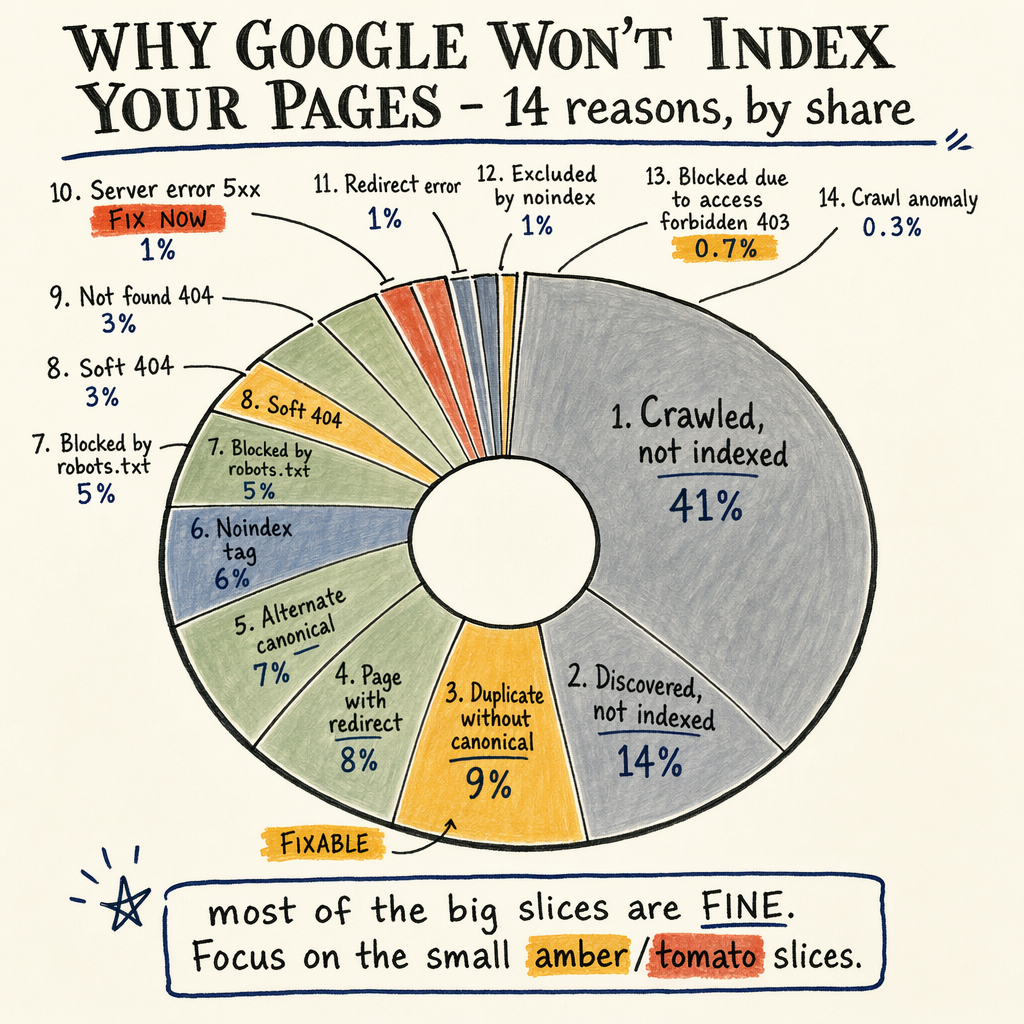
Crawled - currently not indexed: Google fetched the page, then declined to index it.Discovered - currently not indexed: Google knows the URL from links or sitemaps, but has not crawled it yet.Duplicate, Google chose different canonical than user: the page exists, but another URL won the canonical fight.Alternate page with proper canonical tag: usually fine if the target is the page you want indexed.
Why Google skips pages
Thin or repetitive copy
If the page only swaps a keyword, ingredient, city, or SKU, Google often treats it as near-duplicate. Compare the page against thin content pages fix.
Weak canonical intent
Conflicting canonicals, parameter URLs, and faceted navigation can spread signals across too many versions.
No external authority
With 0 external backlinks, Google has little off-site evidence that the page or section matters. Internal links become the only authority path.
Poor snippet value
If the title, meta description, and on-page heading do not describe a distinct search need, the URL looks interchangeable.
Soft technical friction
Slow responses, duplicate hreflang clusters, and messy pagination can push the page below the index threshold.
Fix the page set
Start with the URLs that already have some demand. On enzymes.bio, May 2026 average position is 11.8, with the broader average at 12.4. That is close enough to matter. A page that is crawled but not indexed can still be one content revision away from being included.
Work the page set in this order:
- Merge true duplicates into one canonical URL.
- Expand thin pages until they answer the query better than the nearest result.
- Remove pages with no search intent, or no internal links, or both.
- Make sure the indexable version returns
200, self-canonicalizes, and is in the XML sitemap.
Check internal signals
Google uses internal links as a prioritization signal. A page buried behind filters, orphaned from the main crawl path, or linked only from low-value templates looks unimportant. That matters more when external authority is zero.
Check these points in the HTML and rendering output:
- The URL is linked from relevant category or hub pages.
- The anchor text is descriptive, not just
click here. - The page is included in
Indexing › Sitemaps. - The canonical points to the clean, indexable URL.
- The page does not have
noindex, blocked resources, or accidental parameter variants.
Validate with crawl data
curl -I https://example.com/page/

# What to confirm
# 200 OK
# no X-Robots-Tag: noindex
# canonical points to the same URL
# content type is text/html
# response is not a soft-404 or redirect chain

# Quick checks in DevTools
# Network: document request returns 200
# Elements: canonical href matches indexable URL
# View source: no accidental noindex meta tag
Recovery checklist
- ✓
Open
Indexing › Pagesand export the URLs inCrawled - currently not indexed. - ✓
Compare each URL against its canonical target and nearest competing page.
- ✓
Add unique body copy, not just a rewritten intro or title.
- ✓
Strengthen internal links from relevant hubs and topically adjacent pages.
- ✓
Confirm the page is in
Indexing › Sitemapsand returns200. - ✓
Remove accidental
noindex, redirect chains, and parameter duplicates. - ✓
Recheck
Settings › Crawl statsfor response trends after deployment. - ✓
Validate product and article enhancements in
Enhancements › Product snippets,Enhancements › Breadcrumbs, andEnhancements › FAQ.
Common questions
Is crawled currently not indexed the same as discovered not indexed?
No. Discovered - currently not indexed means Google knows the URL but has not crawled it yet. Crawled - currently not indexed means Google crawled it and chose not to index it.
Should you submit the URL again in GSC?
Only after the page is fixed. Reindex requests do not override thin content, duplicate pages, weak canonicals, or poor internal linking.
How long does recovery take?
Small changes can move in a few crawls. Sitewide cleanup can take weeks, especially when the site has large duplicate sets or 0 external backlinks.
What if the page is important but still not indexed?
Treat it as a content and architecture problem. Add distinct value, point internal links at it, and make sure no other URL is competing for the same query intent.
Does sitemap inclusion guarantee indexing?
No. A sitemap is a discovery hint, not an indexation promise. The page still needs enough quality and uniqueness to earn a slot.