Fix Render-Blocking Resources
7,950 organic clicks/mo only matters if the page paints fast enough to keep the session alive. Render blocking resources usually hit LCP first, then drag INP and CLS cleanup work behind them.
What blocks rendering
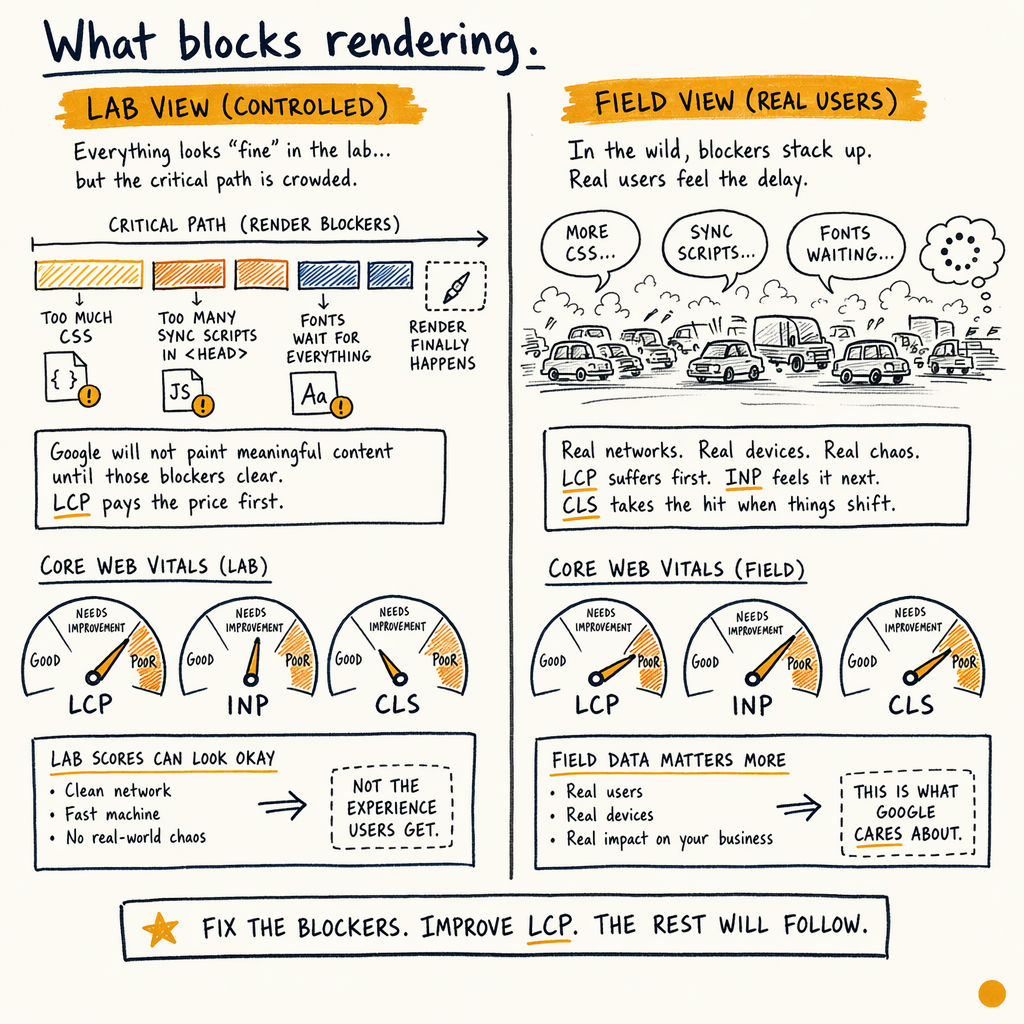
The site audit pattern is usually the same: too much CSS in the critical path, too many synchronous scripts in <head>, and font files that wait for everything else. Google will not paint meaningful content until those blockers clear, so LCP pays the price first.
Field data matters more than lab scores. In Performance › Search results, use P75 by device and compare before/after changes against real clicks, not just Lighthouse. A page can score well in the lab and still sit at position 12.4 with a weak 1.4% CTR because the visible content arrives late.
For enzymes.bio-style inventory, the stakes are bigger than a single template. With 16,100 indexed pages, 591,000 not indexed, and 0 external backlinks, any wasted byte in the render path slows discovery and weakens the only channel doing the work. This is why the first pass is always: identify the blocking asset, decide if it is actually needed for above-the-fold content, then remove or delay it.
Find blockers in GSC
Start in Experience › Core Web Vitals to see which URL groups fail on field data. Then cross-check the actual template footprint in Performance › Search results by page, query, and device. If mobile is failing while desktop passes, the problem is usually CSS weight or third-party JS, not raw server speed.
Use Settings › Crawl stats to see whether Googlebot is spending time on heavy assets. If crawl hits spike while important URLs stay stale, render waste is often part of the crawl budget problem.
Then inspect Indexing › Pages for patterns like “Discovered - currently not indexed” or “Crawled - currently not indexed.” Those buckets are not caused by render blockers alone, but bloated templates and slow response chains make the whole crawl/index loop worse. For a WordPress stack, link this work with WordPress SEO and Core Web Vitals explained so template changes do not break canonical signals.
Fix CSS first
Extract critical CSS
Inline only the rules needed for above-the-fold content, then load the full stylesheet non-blocking. On content-heavy pages, this often removes 100–300 KB from the first paint path.
Split by template
Do not ship one giant stylesheet to every URL. Homepage, PDP, category, and blog layouts need different critical sets, especially when you are dealing with TranslatePress across 35 languages.
Remove dead selectors
Unused utility classes and theme leftovers increase parse time. That matters more on lower-end mobile CPUs, where CSS parse cost can show up as late LCP even when bandwidth looks fine.
Defer JavaScript safely
- 01
Inventory synchronous scripts
List every script in
<head>and mark what is required for initial paint, consent, or navigation. Anything else should bedefer,async, or moved lower in the document. - 02
Protect above-the-fold content
The hero, primary nav, and product title must not wait on sliders, chat widgets, or analytics tags. If the script only affects interaction after load, it is not render-critical.
- 03
Test INP side effects
A script fix for LCP can still hurt INP if it adds long tasks later. Verify both in
Experience › Core Web Vitalsand in real interaction testing before you call it done.
Use safe loading patterns
<link rel="preload" href="/assets/fonts/inter-var.woff2" as="font" type="font/woff2" crossorigin>
<link rel="preload" href="/assets/css/critical.css" as="style">
<link rel="stylesheet" href="/assets/css/critical.css">
<link rel="stylesheet" href="/assets/css/app.css" media="print" onload="this.media='all'">

<script src="/assets/js/app.js" defer></script>
<script src="https://example-cdn.com/widget.js" async></script>

<style>
  @font-face {
    font-family: 'Inter';
    src: url('/assets/fonts/inter-var.woff2') format('woff2');
    font-display: swap;
  }
</style>
Handle fonts and hints
Fonts are small files with outsized damage. If text waits for a webfont, Google may delay the first meaningful paint or swap late and create layout shifts. Set font-display: swap, preload only the primary font file, and do not preload every weight.
Resource hints help when used surgically. preconnect can shave connection time for critical origins; preload can move the right asset earlier; prefetch is for later navigation, not the current paint. The wrong hint wastes bytes and hides the real blocker.
For image-led pages, connect this work to LCP image optimization. A clean CSS path does not matter if the hero image is still oversized, uncompressed, or lazy-loaded above the fold.
What actually moves LCP
| Field | High impact | Low impact |
|---|---|---|
Critical CSS | Inline the above-the-fold rules | Minify the whole stylesheet only |
JavaScript | Defer non-essential scripts | Add |
Fonts | Preload one face, use | Preload 6 weights and 3 subsets |
Hints |
| Spray |
Measurement | CrUX P75 + GSC field data | Only Lighthouse scores |
What the audit found
Render-path cleanup mattered because the site already had demand. The gap was not visibility, it was speed and index efficiency across 16,100 indexed pages.
With no external backlinks, the technical stack has to carry more weight. Fixing blockers does not create authority, but it helps the pages that already rank climb faster.
Measure real impact
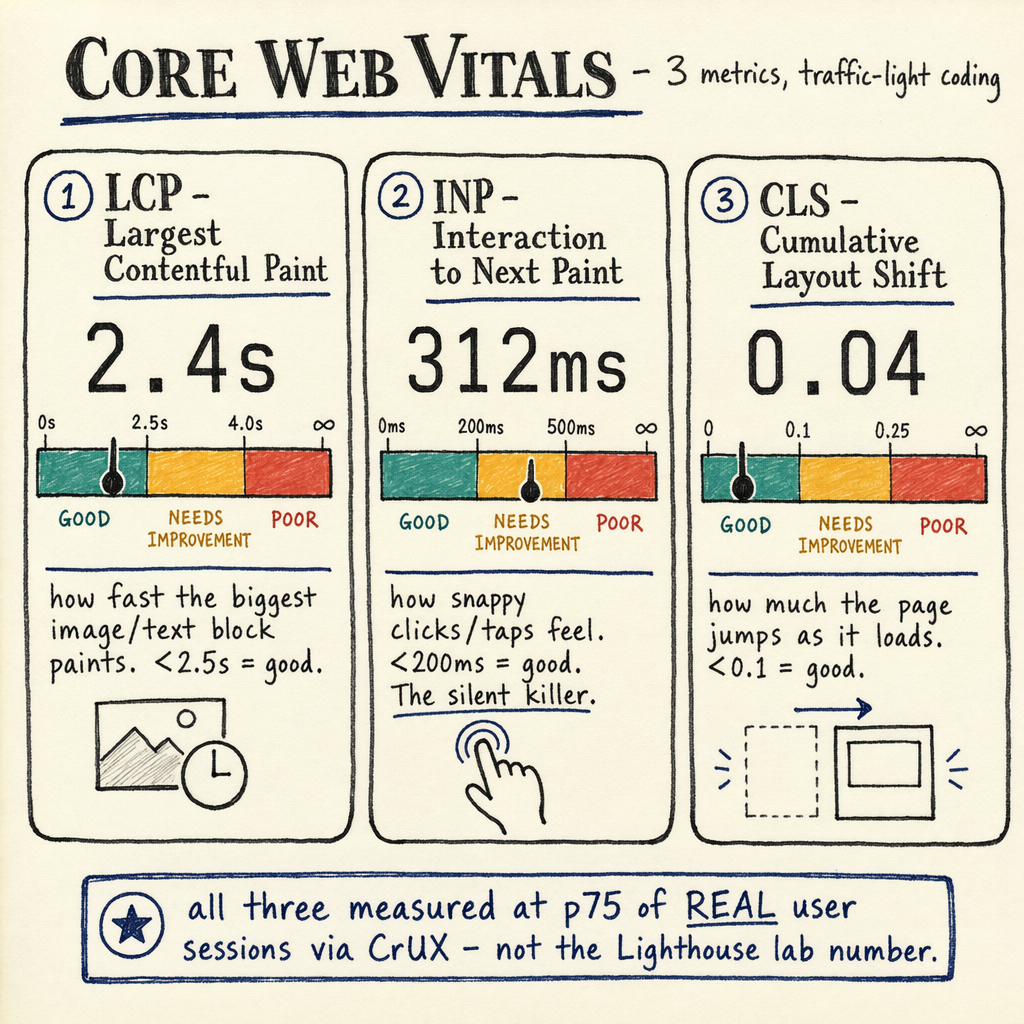
Use a before/after sheet with three columns: URL group, field metric, and change shipped. Track LCP, INP, and CLS separately. A change that improves LCP by 0.6 s but worsens CLS is not a clean win.
For implementation notes, keep the audit in Notion and attach the exact template files, changed assets, and testing notes. Then recheck Indexing › Pages and Performance › Search results after Google recrawls the affected URLs.
If you need a broader remediation plan, this sits naturally inside a Core Web Vitals fix scope. For JS-heavy templates, pair it with fix INP from third-party scripts so the same work does not just move the bottleneck.
FAQ
Should you always remove render blocking CSS?
No. Keep the CSS required for above-the-fold rendering. Remove only what is not needed for the first paint, then load the rest non-blocking.
Is `defer` better than `async`?
defer preserves execution order and waits until HTML parsing finishes. async is fine for standalone scripts, but it can fire earlier and break dependencies.
Does fixing render blocking improve INP?
Sometimes, but not automatically. It can reduce main-thread congestion, yet long tasks from third-party code may still hurt INP.
What should you check first in GSC?
Start with Experience › Core Web Vitals, then inspect Performance › Search results for mobile P75 and URL-group patterns.
How do fonts cause layout shifts?
Late font swaps change text metrics. Use font-display: swap, keep fallback metrics close, and avoid loading too many font variants.
Common trade-offs
There is no universal “fix render blocking” button. Removing CSS can improve paint time but break layout. Deferring JS can speed LCP but break menus, forms, or consent flows. Preloading fonts can help one template and harm another if the file is never used.
The audit question is simple: what is required for the first visible content, and what is not? Once you answer that per template, the fixes are usually mechanical. Without that split, you are just moving bytes around.