Product Schema for Ecommerce
**7,950 organic clicks/mo and 557,000 impressions/mo are nice; 0 external backlinks is the rate-limiter.** On ecommerce pages, product schema helps Google read price, stock, reviews, and identifiers cleanly enough to earn better product rich results.
Why product schema matters
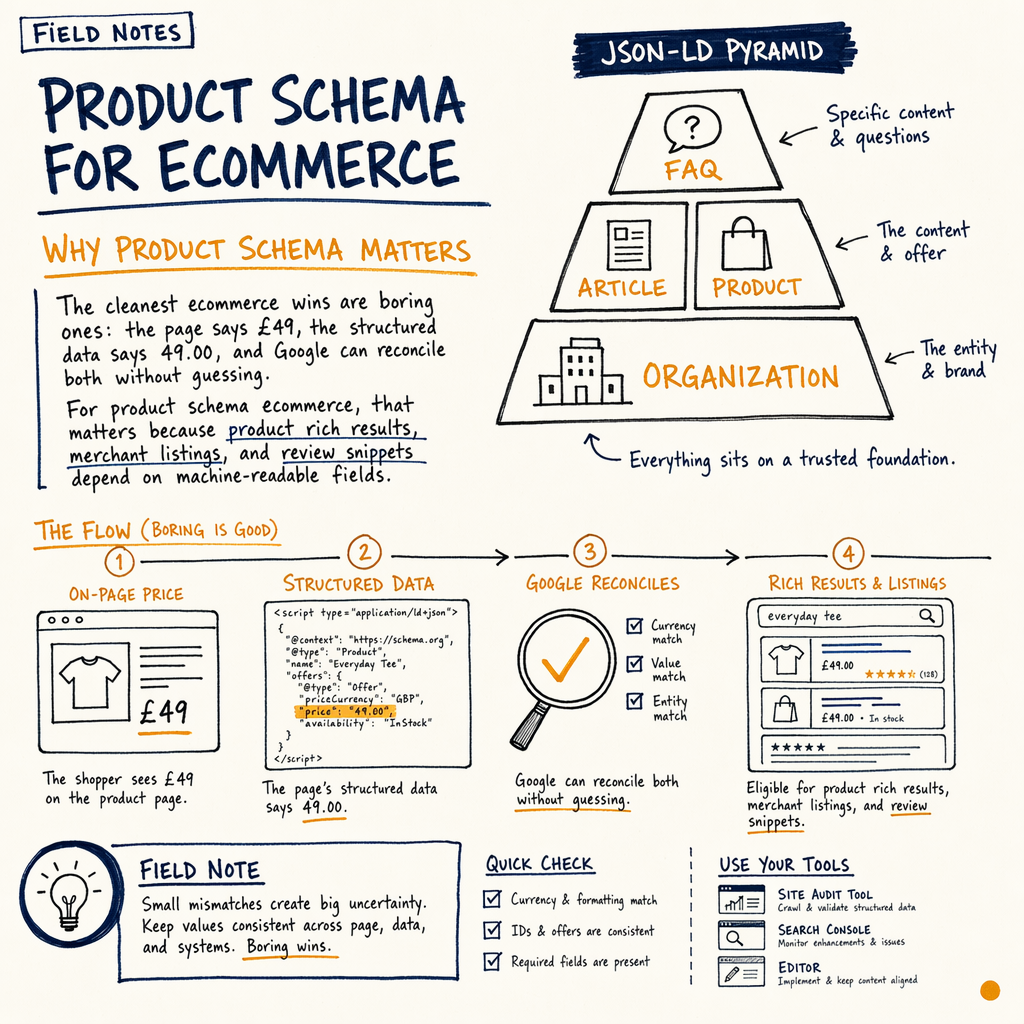
The cleanest ecommerce wins are boring ones: the page says £49, the structured data says 49.00, and Google can reconcile both without guessing. For product schema ecommerce, that matters because product rich results, merchant listings, and review snippets depend on machine-readable fields.
On the enzymes.bio audit, Indexing › Pages showed 16,100 indexed pages and 591,000 NOT indexed. That kind of scale makes sloppy template markup expensive. If your product template ships the wrong Product data once, Google can inherit the mistake across thousands of URLs.
The goal is not to stuff every possible property into every page. The goal is to make the product entity unambiguous: what the item is, who makes it, whether it is in stock, and what it costs right now.
What Google can read
Product identity
Use @type: Product, a stable name, and ideally sku, gtin13, mpn, or brand. Google uses these identifiers to match the page to the real item, not just the category.
Offer details
The offers object is where most ecommerce schema work lives. Add price, priceCurrency, availability, and url. If a page has variants, make sure the selected variant is the one exposed.
Review signals
If you show reviews on-page, you can mark up aggregateRating and review. Do not fabricate ratings. If the stars are not visible to a shopper, they should not appear in schema.
Merchant listings readiness
Google can use product structured data for merchant listings eligibility, but it still checks page content, feed quality, and crawl access. Schema is a signal, not a shortcut.
Required product fields
For most stores, the minimum useful product schema markup is small: name, image, description, sku, brand, and offers. If you sell regulated or comparison-heavy products, add gtin, mpn, and a precise priceCurrency.
The offers block should reflect the canonical purchase state of the page. If the page sells one variant, the schema should not describe five variants. If the page is out of stock, availability should say so. If the price changed from £39 to £49, update the JSON-LD in the same deploy that updates the page copy.
For stores with multi-language templates, keep the schema language consistent with the page language. 35 languages via TranslatePress sounds flexible, but it also means you need one templated product entity per locale, not one blob of English JSON copied everywhere.
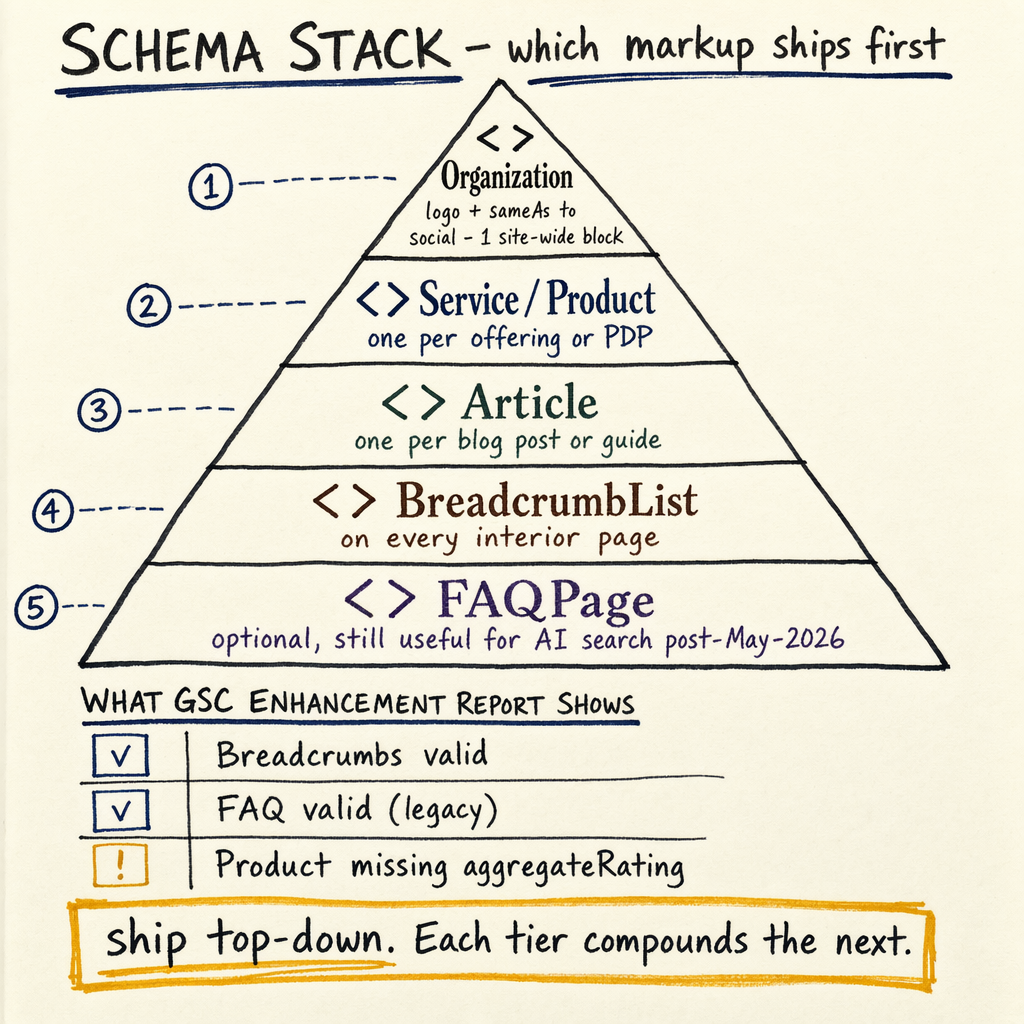
If you want the taxonomy around this, start with schema markup types and then map the product template to the rest of the site’s entity graph.
JSON-LD example
<script type="application/ld+json">
{
  "@context": "https://schema.org",
  "@type": "Product",
  "name": "Organic Protein Powder 1kg",
  "image": [
    "https://example.com/images/protein-powder-1kg.jpg"
  ],
  "description": "Chocolate protein powder, 1kg bag, 24 servings.",
  "sku": "PROT-1KG-CHOC",
  "brand": {
    "@type": "Brand",
    "name": "Example Nutrition"
  },
  "gtin13": "1234567890123",
  "offers": {
    "@type": "Offer",
    "url": "https://example.com/products/organic-protein-powder-1kg",
    "priceCurrency": "GBP",
    "price": "49.00",
    "availability": "https://schema.org/InStock",
    "itemCondition": "https://schema.org/NewCondition"
  },
  "aggregateRating": {
    "@type": "AggregateRating",
    "ratingValue": "4.8",
    "reviewCount": "126"
  }
}
</script>

<script type="application/ld+json">
{
  "@context": "https://schema.org",
  "@type": "BreadcrumbList",
  "itemListElement": [
    {
      "@type": "ListItem",
      "position": 1,
      "name": "Home",
      "item": "https://example.com/"
    },
    {
      "@type": "ListItem",
      "position": 2,
      "name": "Protein",
      "item": "https://example.com/collections/protein"
    },
    {
      "@type": "ListItem",
      "position": 3,
      "name": "Organic Protein Powder 1kg",
      "item": "https://example.com/products/organic-protein-powder-1kg"
    }
  ]
}
</script>
Common ecommerce mistakes
The most common error is mismatch: the page says one thing, the schema says another, and Google trusts neither fully. A Product page with availability: InStock while the cart button is disabled is a classic failure.
Another failure is over-marking. If the page has no visible reviews, do not add aggregateRating. If the product page is actually a category page, do not force Product onto it. If the page is an article about buying advice, use Article, not Product.
For implementation, tie schema output to the same source of truth as inventory and pricing. If your stack is Shopify, the product template should emit JSON-LD from the live variant object, not from a hand-edited snippet. If you need help wiring that cleanly, schema markup implementation is the right service page.
Product fields by priority
| Field | Must have | Nice to have |
|---|---|---|
name | Yes | Exact variant naming |
offers.price | Yes | Sale price plus original price |
offers.availability | Yes | Backorder or preorder state |
brand | Yes | Manufacturer and manufacturer page |
sku / gtin / mpn | Preferred | All three if available |
aggregateRating | Only if visible | review breakdown |
Validation workflow
- 01
Inspect the rendered HTML
Open DevTools and confirm the JSON-LD is server-rendered or at least present in the final DOM. Search for
application/ld+jsonand verify the product name, URL, and price are the same values the shopper sees. - 02
Test in Google tools
Run the URL through Rich Results Test, then cross-check the output against Schema.org validator. Google is checking eligibility; the validator checks syntax and property structure. You need both.
- 03
Check GSC coverage
Use
Performance › Search resultsto watch impressions and clicks on product URLs after deployment. Then inspectEnhancements › Product snippetsfor errors, warnings, or missing field patterns. - 04
Confirm crawl and indexation
If templates are large, watch
Settings › Crawl statsandIndexing › Pages. At enzymes.bio,16,100 indexed pagesagainst591,000 NOT indexedis exactly why validation has to happen before rollout, not after.
Implementation checklist
- ✓
Use JSON-LD only; do not mix Microdata or RDFa.
- ✓
Emit one
Productentity per canonical product URL. - ✓
Keep
offers.price,priceCurrency, and visible price in sync. - ✓
Use
availabilityvalues from Schema.org, not custom text. - ✓
Add
brand,sku, andgtinwhere the catalog has them. - ✓
Only mark up reviews that are visible on the page.
- ✓
Test with Rich Results Test and the Schema.org validator.
- ✓
Review
Enhancements › Product snippetsafter deployment. - ✓
If the page is a guide, use
Articleinstead ofProduct. - ✓
If breadcrumbs exist, add
BreadcrumbListseparately.
Sample validation curl
curl -s 'https://search.google.com/test/rich-results?url=https://example.com/products/organic-protein-powder-1kg' \
  -H 'accept: text/html' \
  -o rich-results-test.html

curl -s 'https://validator.schema.org/#url=https://example.com/products/organic-protein-powder-1kg' \
  -H 'accept: text/html' \
  -o schema-validator.html

# DevTools quick check
# 1. Open the product page
# 2. Search for `application/ld+json`
# 3. Confirm `price`, `availability`, `brand`, and `gtin13`
FAQ
Does every ecommerce page need product schema?
No. Use Product on actual product detail pages. Category pages, editorial guides, and comparison posts usually need different types, such as CollectionPage or Article.
Will product schema guarantee rich results?
No. It improves eligibility, not certainty. Google still checks content quality, page consistency, crawlability, and policy fit.
Should I include reviews in product schema?
Only when reviews are visible on the page and genuinely belong to that product. Hidden or fabricated ratings are a bad idea.
What is the best format for product schema?
JSON-LD. It is cleaner to generate, easier to test, and less likely to break when your front end changes.
How do I handle multiple variants?
Expose the canonical variant on the page, or model variants carefully with ProductGroup when your template and inventory system support it. Do not mix prices from different variants.
Where should I start if schema is already messy?
Audit the template, fix the Product object, then validate. If the site uses multiple templates, map them from ecommerce SEO or Shopify SEO page patterns first.