GSC audit template spreadsheet download
7,950 clicks, 557,000 impressions, and 16,100 indexed pages can hide the same problem: Google has data, but the audit is scattered. This gsc audit template turns Search Console into a repeatable spreadsheet, PDF, and Notion workflow.
What the download includes
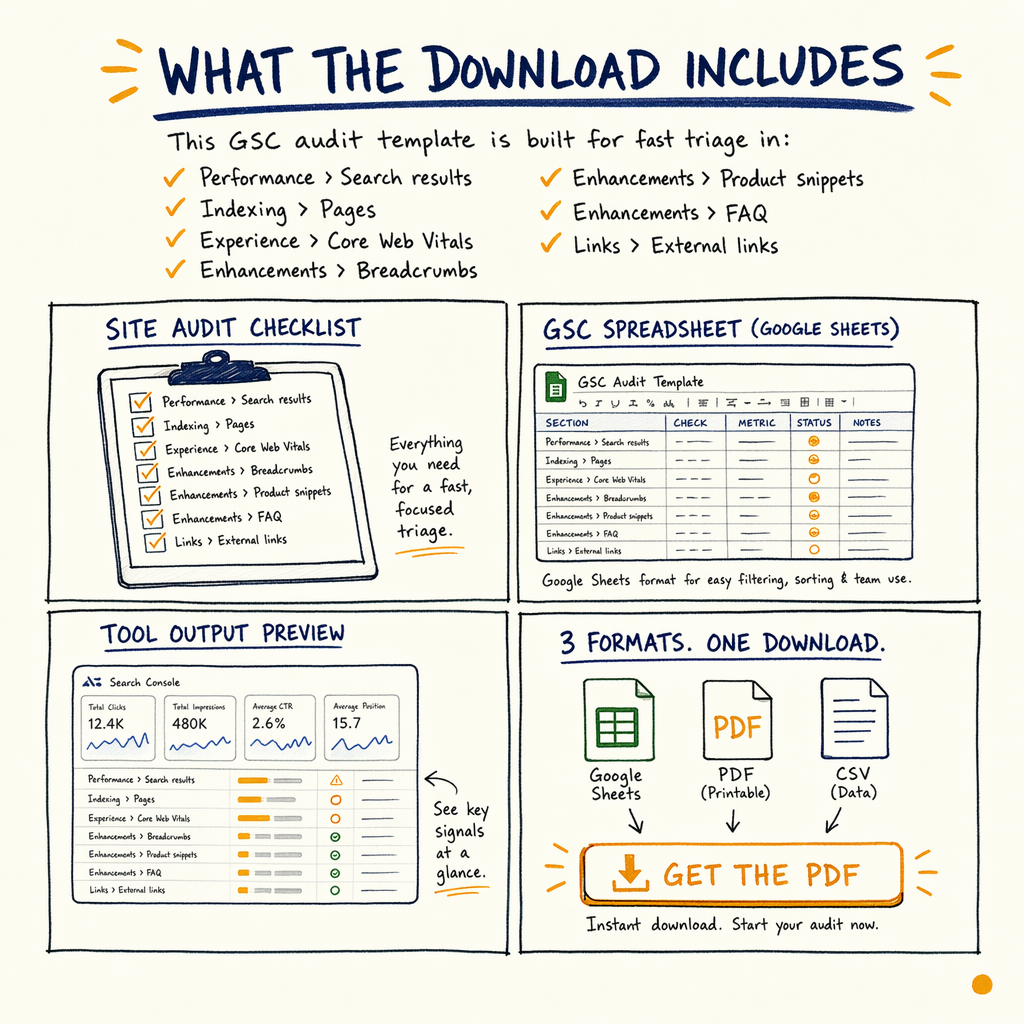
This gsc audit template is built for fast triage in Performance › Search results, Indexing › Pages, Experience › Core Web Vitals, Enhancements › Breadcrumbs, Enhancements › Product snippets, Enhancements › FAQ, and Links › External links.
You get three formats: a Google Sheets-style gsc spreadsheet, a Notion audit doc structure, and a PDF checklist. That mix matters because some teams need a working sheet, while others need a client-ready deliverable.
The template is designed around a real site profile: 7,950 organic clicks/mo in May 2026, up from 2,770 in May 2025, with 557,000 impressions/mo, 1.4% CTR, and an average position of 12.4. It also assumes the ugly part: 0 external backlinks can be the rate-limiter even when the GSC trend looks healthy.
Template structure
Performance tabs
Track clicks, impressions, CTR, and position by query, page, country, and device. Flag pages sitting at positions 8-20, because that is where small changes can move the needle.
Indexing tabs
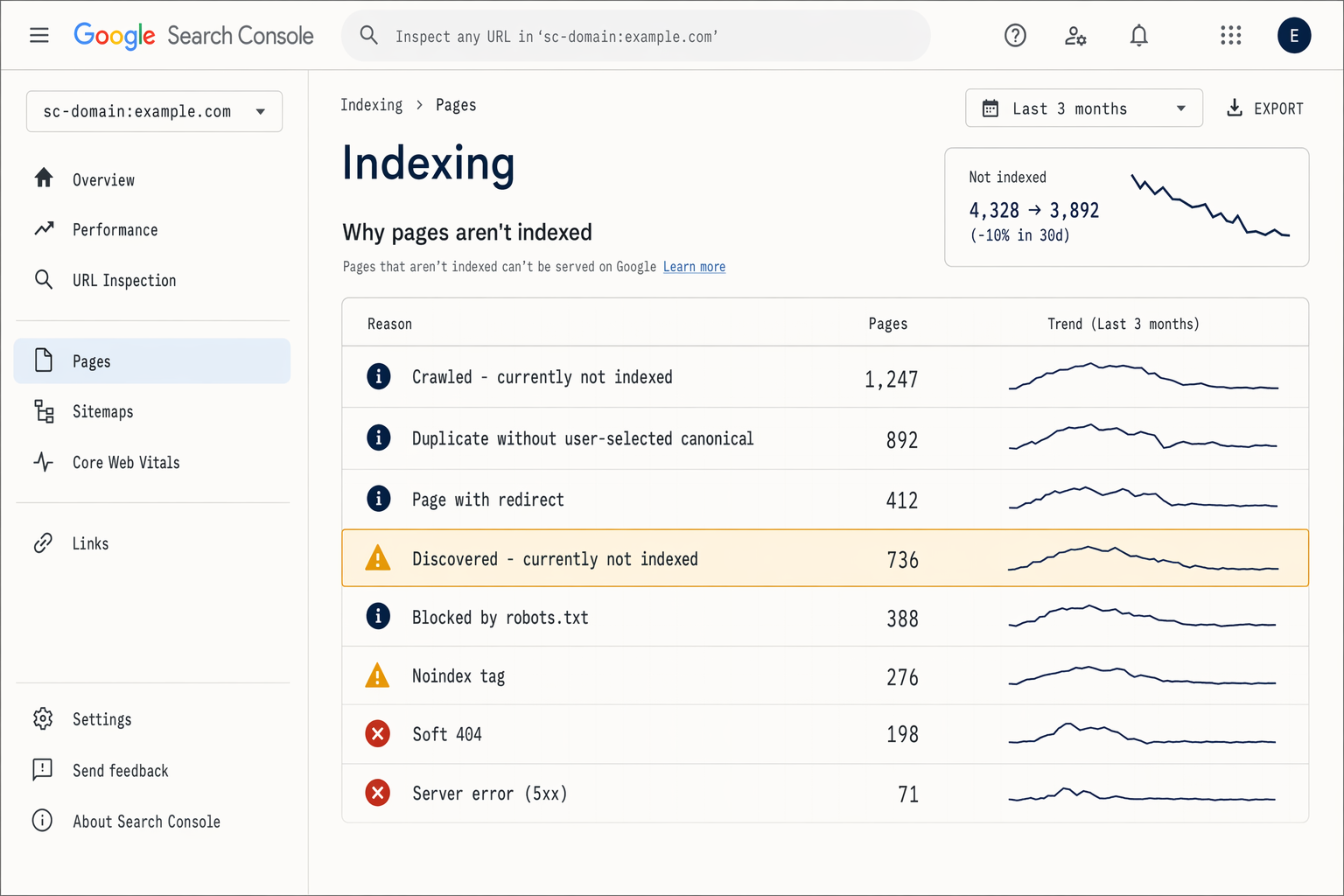
Separate valid, excluded, and error states from Indexing › Pages. For enzymes.bio-scale sites, the split matters: 16,100 indexed pages versus 591,000 not indexed is a crawl-management problem, not a content-writing problem.
Experience tabs
Log Core Web Vitals failures, URL patterns, and template-level issues from Experience › Core Web Vitals. The goal is to find repeatable fixes, not page-by-page guesswork.
Enhancements tabs
Use dedicated checks for structured data reports in Enhancements › Breadcrumbs, Enhancements › Product snippets, and Enhancements › FAQ. If Google can’t parse the markup, the rich result never enters the conversation.
What to inspect first
- 01
Start with impressions, not traffic
Open
Performance › Search resultsand sort by impressions. The queries with lots of visibility and weak CTR are the fastest wins. In the enzymes.bio audit, a 1.4% sitewide CTR meant there was plenty of room to rewrite snippets. - 02
Then isolate index gaps
Move to
Indexing › Pagesand compare excluded URLs against the pages that actually matter. When a site has 16,100 indexed pages and 591,000 not indexed, the issue is usually rules, duplication, or internal crawl waste. - 03
Check crawl supply
Use
Settings › Crawl statsto see whether Googlebot is spending requests on useful URLs or noise. If crawl volume is high but discovery is slow, the template should push you toward pruning and consolidation. - 04
Review structured data
Validate
Enhancements › Breadcrumbs,Enhancements › Product snippets, andEnhancements › FAQnext. The sheet includes columns for issue type, affected template, and fix owner so the backlog stays actionable.
Spreadsheet versus Notion
| Field | Spreadsheet | Notion doc |
|---|---|---|
Best for | Filtering, sorting, formulas | Narrative notes and task tracking |
Audit speed | Fast on large exports | Fast for stakeholder review |
Best output | Prioritised issue list | Client-ready action plan |
Good for sharing | Yes, if the team likes sheets | Yes, if the team lives in docs |
How to use it
Import your GSC exports, then score each issue by impact, effort, and confidence. Keep the scoring simple: pages with high impressions, low CTR, or position 8-20 get first attention.
If you need a reference while filling the sheet, use Google Search Console guide for report definitions, and improve CTR from search results for snippet work.
For a deeper review, hand the output to a technical auditor after the first sprint. If you want that done for you, Request an audit or See all services.
Sample audit checklist
<section>
  <h2>GSC audit template checks</h2>
  <ul>
    <li>Open <code>Performance › Search results</code> and export query, page, country, and device data.</li>
    <li>Review <code>Indexing › Pages</code> for excluded URLs, duplicates, and canonical mismatches.</li>
    <li>Check <code>Experience › Core Web Vitals</code> for template-wide failures.</li>
    <li>Validate <code>Enhancements › Breadcrumbs</code>, <code>Enhancements › Product snippets</code>, and <code>Enhancements › FAQ</code>.</li>
    <li>Inspect <code>Settings › Crawl stats</code> for wasted crawl demand.</li>
  </ul>
</section>
FAQ
Is this a search console audit template or a spreadsheet?
It is both. The core deliverable is a gsc spreadsheet, plus a Notion audit layout and a PDF checklist for handoff.
Who is this for?
It is for SEOs, founders, and in-house teams that need a fast seo audit template without starting from blank tabs every time.
Does it cover indexing and performance?
Yes. It covers Performance › Search results, Indexing › Pages, Indexing › Sitemaps, and the main enhancement reports.
Can I use it for ecommerce?
Yes. It works well when you need to compare product pages, collection pages, and query segments, especially if structured data is part of the issue.
What if I need a human audit too?
Use the template first, then escalate the findings into a full technical audit. Start at technical SEO audit if you want the deep version.