Redirect Chain Checker
**7,950 organic clicks/mo and 0 external backlinks tell a blunt story: technical cleanup matters, but links still gate growth.** Use this redirect chain checker to paste one URL, trace every hop, and see whether the final URL actually consolidates signals.
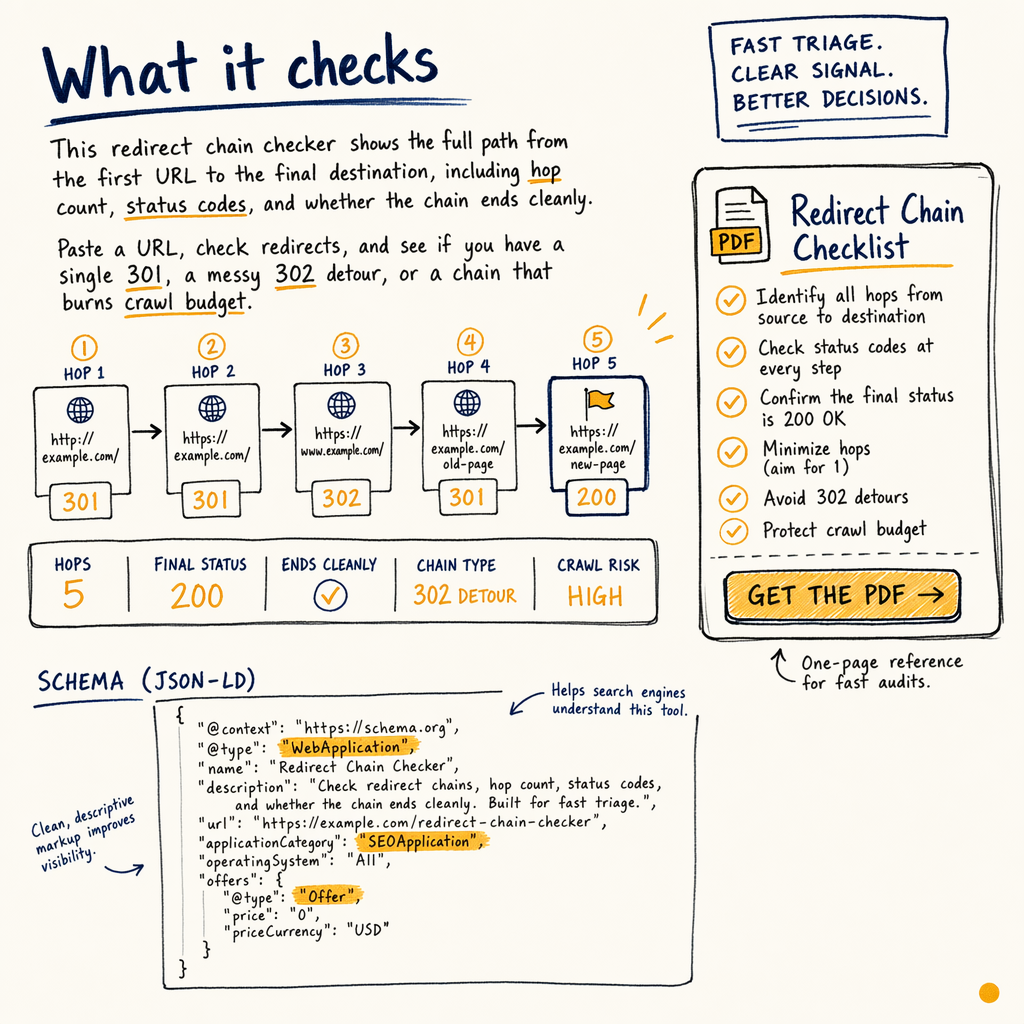
What it checks
This redirect chain checker shows the full path from the first URL to the final destination, including hop count, status codes, and whether the chain ends cleanly.
It is built for fast triage. Paste a URL, check redirects, and see if you have a single 301, a messy 302 detour, or a chain that burns crawl budget before Google reaches the content.
If you are cleaning up a migration, pair this with site migration SEO and technical SEO audit.
What you get
Hop-by-hop trace
See each URL in sequence, plus the status code at every step. That makes it easy to spot 301 -> 302 -> 200 nonsense.
Canonical signal check
The tool flags when the final page points canonical signals somewhere else, so you can fix the mismatch before indexing gets weird.
Lead-magnet download
You also get a PDF explainer, a Notion template for redirect mapping, and a spreadsheet for bulk QA.
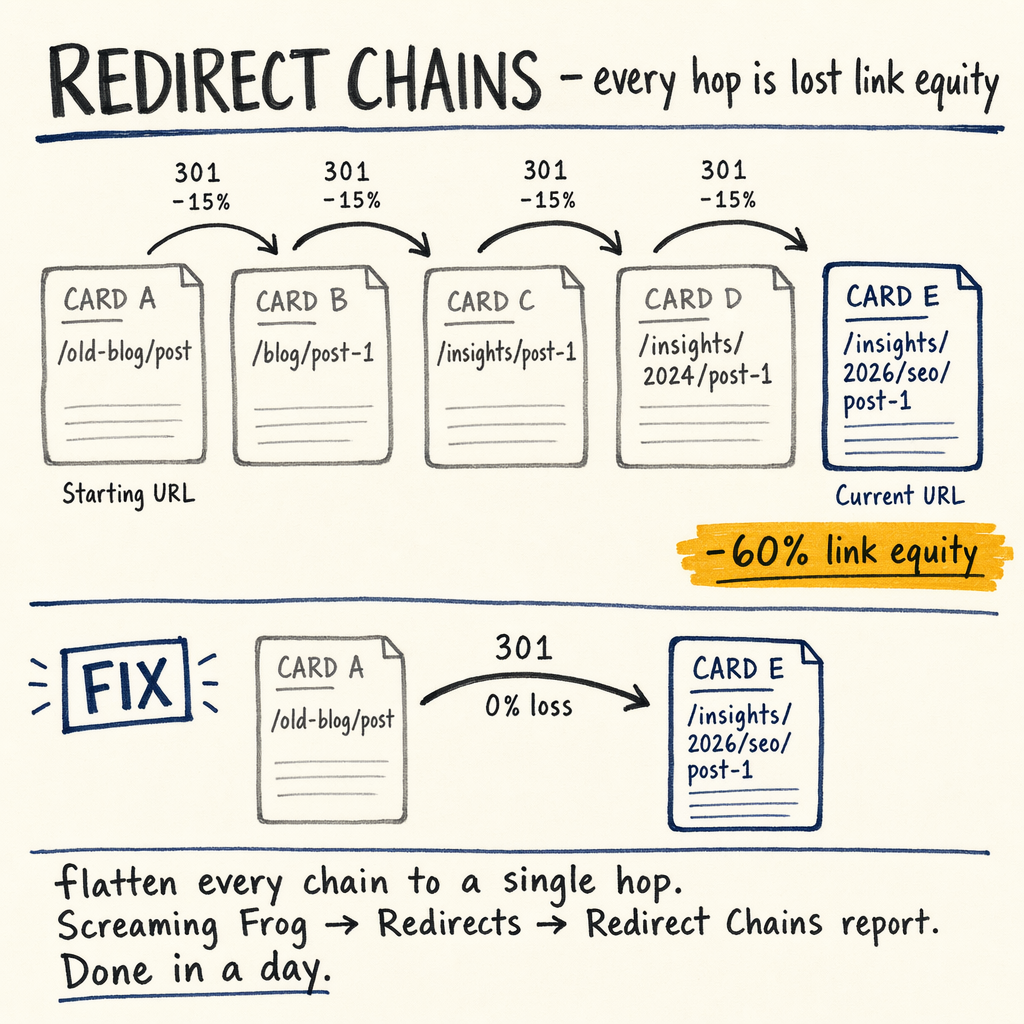
Why chains waste crawl
Google does not need a five-hop tour. Every extra hop adds latency, adds failure points, and reduces the odds that the final URL gets crawled often.
In GSC, the damage usually shows up in Indexing › Pages as redirected URLs that still linger, or in Settings › Crawl stats as crawl time spent on junk paths instead of pages that can rank. If you are seeing 591,000 NOT indexed pages alongside only 16,100 indexed pages, redirect hygiene is not a side quest.
Use this redirect chain tool when you want to trace redirects on templates, old product URLs, or migration leftovers before they become a deeper crawl problem.
How to use it
- 01
Paste one URL
Drop in the source URL you want to inspect. The checker follows the request exactly as a browser would.
- 02
Read the chain
Look for each hop, the status code, and the final target. A clean path is usually one
301to a 200 page. - 03
Compare signals
Confirm the final URL matches the canonical tag, internal links, and sitemap entry in
Indexing › Sitemaps. - 04
Export the fix list
Use the spreadsheet to map old URLs to new targets, then hand the list to dev or CMS owners.
Good vs bad chains
| Field | Good | Bad |
|---|---|---|
Hop count | 1 hop | 3+ hops |
Status codes |
|
|
Canonical target | Matches final URL | Points elsewhere |
Crawl impact | Low waste | Crawl budget drain |
Curl test
curl -I -L https://example.com/old-url

# Read the chain hop by hop
# 1: 301 Moved Permanently
# 2: 302 Found
# 3: 200 OK
What to fix first
Start with URLs that get real demand: product pages, category pages, and links with impressions in Performance › Search results. If a page has 557,000 impressions/mo but only a 1.4% sitewide CTR, redirect friction is one thing to rule out quickly.
For migrations, check Indexing › Pages, Indexing › Sitemaps, and Links › External links together. A page with outside links, a long redirect chain, and a weak canonical is a priority because it wastes the few signals it has.
If the chain is caused by a platform move, review redirects, 301s, and canonicals and the checklist for fixing redirect chains that are too long.
Included download
This lead magnet includes three files: a short PDF that explains redirect types, a Notion template for logging source URLs and destination URLs, and a spreadsheet for bulk checks.
Use the PDF for quick handoffs, the Notion template for audit notes, and the spreadsheet when you need to trace redirects across a migration or CMS cleanup.
If the issue is a page that keeps surfacing in GSC as redirected, use fix page with redirect in GSC after you map the chain.
FAQ
What is a redirect chain?
A redirect chain is any sequence where one URL forwards to another, then another. The longer the path, the more crawl waste and failure risk you create.
How many hops is too many?
One hop is ideal. Two hops is already a cleanup candidate. Three or more is usually a fix-it-now item.
Does a canonical fix a bad chain?
No. Canonical tags help consolidate signals, but they do not remove the redirect path or recover crawl time.
Can I trace redirects in bulk?
Yes. Use the spreadsheet export to batch URLs, then verify the worst offenders manually with the checker and curl -I -L.
When should I use this during a migration?
Before launch and immediately after launch. That is when old URLs, new slugs, and canonical settings most often drift apart.