Technical SEO Checklist PDF: 87-Point Audit
An 87-point technical SEO checklist PDF, plus a Notion template and spreadsheet. It matches the same audit flow used on sites with 7,950 organic clicks/mo, 557,000 impressions/mo, and 16,100 indexed pages.
What’s in the download
This download is not a generic site audit checklist pdf. It is the exact working checklist behind client audits, packaged three ways: a PDF for fast review, a Notion template for task tracking, and a spreadsheet for scoring and prioritizing fixes.
The checklist has 87 points across crawlability, indexation, internal linking, rendering, structured data, Core Web Vitals, and Search Console validation. It is built for teams that want a clean seo checklist download they can actually finish.
If you want the full service version, see technical SEO audit. If you want the lightweight GSC-only version, use the GSC audit template.
Why this checklist exists
Made from real audits
This checklist was shaped by pages that went from 2,770 clicks/mo to 7,950 clicks/mo, with 557,000 impressions/mo and a 1.4% CTR. It is not theory.
Built around the rate limiter
The most common blocker is not content quality. It is crawl budget, indexation waste, and zero external backlinks. One audited site had 16,100 indexed pages, 591,000 not indexed, and 0 external backlinks.
Designed for prioritization
The spreadsheet version scores each check by impact and effort, so the first sprint targets fixes that move crawling, indexing, and eligible snippets first.
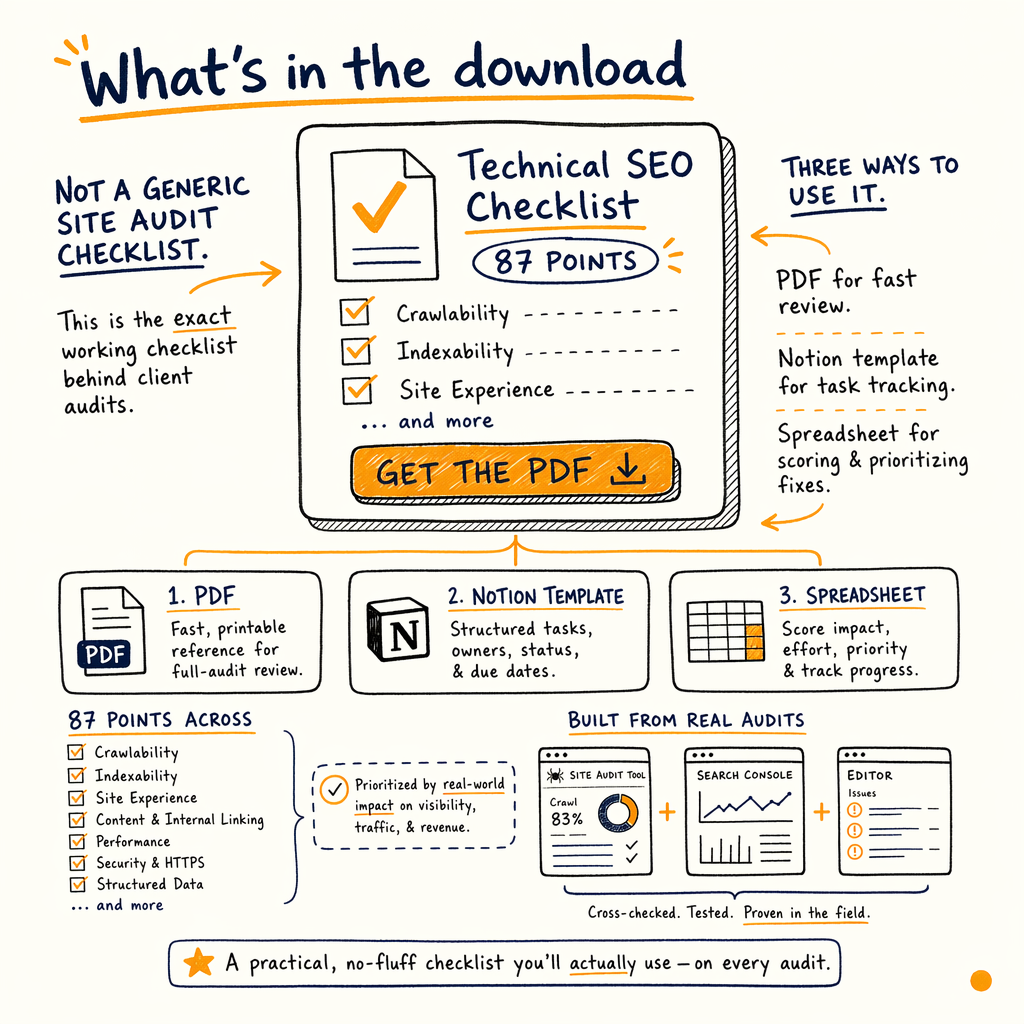
What the 87 points cover
The checklist is split into blocks you can hand to dev, content, or an agency. The audit flow starts with Indexing › Pages, Indexing › Sitemaps, and Settings › Crawl stats, then moves into templates, duplicates, canonical signals, and render issues.
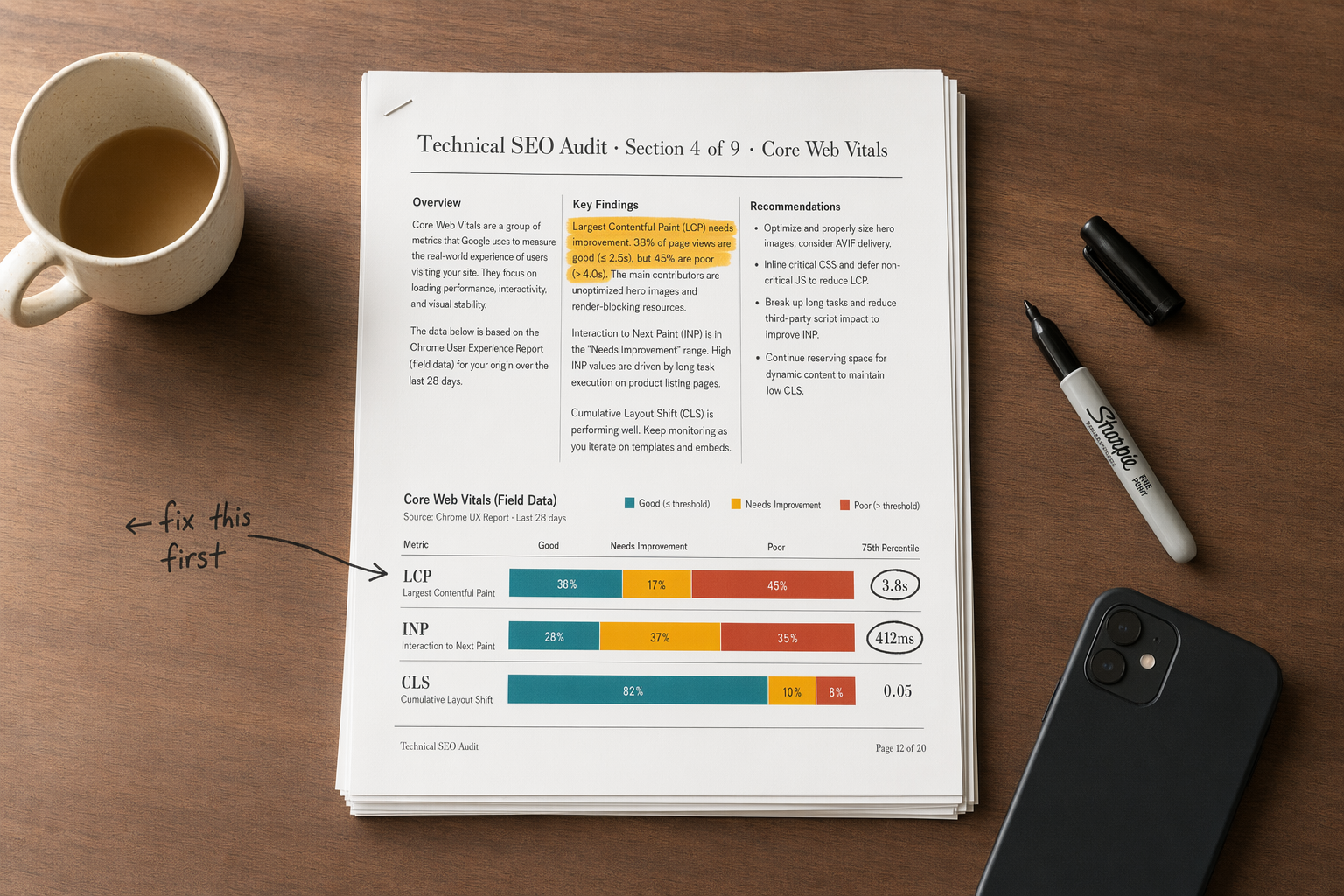
It also includes Experience › Core Web Vitals, Enhancements › Breadcrumbs, Enhancements › Product snippets, and Enhancements › FAQ checks where those reports are available. That keeps the work tied to Google’s own evidence, not guesswork.
If you are comparing it with a broader seo audit checklist, this version is narrower and more operational. It is meant to tell you exactly what to fix, in what order, and what to verify after the fix ships.
How to use it
- 01
Export the PDF
Use the PDF for a quick pass. Mark every item as pass, fail, or blocked. The point is to get a full picture in under one hour, not to write prose.
- 02
Copy into Notion
Paste the checklist into the Notion template and assign owners. Add URLs, status codes, and screenshots next to each failed item.
- 03
Score in the sheet
Use the spreadsheet to rank issues by traffic risk. A blocked indexation problem on 591,000 not indexed URLs should outrank a minor meta tag cleanup.
- 04
Verify in GSC
Before closing anything, confirm the fix in
Performance › Search results,Indexing › Pages, andSettings › Crawl stats. If the numbers do not move, the problem is still there.
PDF vs template vs sheet
| Field | Notion template | Spreadsheet | |
|---|---|---|---|
Best for | Fast review | Task tracking | Scoring and prioritization |
Editability | Low | High | High |
Output | Annotated checklist | Shared audit doc | Ranked issue list |
Typical use | Internal review | Client handoff | Sprint planning |
Sample audit note
{
  "url": "/products/example/",
  "check": "canonical",
  "status": "fail",
  "evidence": {
    "gsc_report": "Indexing › Pages",
    "symptom": "Duplicate without user-selected canonical",
    "action": "Set canonical, then recheck crawl stats and indexing trend"
  }
}GSC reports to check
The checklist tells you which reports to open first. Start with Indexing › Pages to see why Google is excluding URLs, then Indexing › Sitemaps to confirm discovery. After that, use Settings › Crawl stats to see whether crawl demand is actually increasing.
For performance work, use Performance › Search results to compare clicks, impressions, CTR, and average position by query and page. On sites with schema, check Enhancements › Breadcrumbs, Enhancements › Product snippets, and Enhancements › FAQ to make sure eligible markup is being recognized.
On one site, the average position sat at 12.4 sitewide, or 11.8 in May 2026. That is close enough to page one that small technical fixes can matter. This download helps you find those fixes before launch, or in the first sprint after the audit.
Get the download
- ✓
Download the 87-point technical SEO checklist PDF.
- ✓
Use the matching Notion template to assign owners and due dates.
- ✓
Use the spreadsheet to score impact, effort, and risk.
- ✓
Start with indexation, then crawlability, then templates.
- ✓
Verify fixes in GSC before you close the task.
- ✓
If you need help, request an audit from the services page.
FAQ
Is this a technical SEO checklist PDF or a full audit?
It is both a download and a working framework. The PDF gives you the checklist, while the Notion template and spreadsheet make it usable on a live site.
How detailed is the checklist?
It has 87 points. That is enough to cover crawl, indexation, rendering, schema, internal linking, and GSC validation without turning into a textbook.
Who should use this site audit checklist PDF?
Use it if you own a site, manage SEO, or hand work to devs. It is especially useful when you need a clean handoff after an audit.
Does it work for large sites?
Yes. It was built around sites with 16,100 indexed pages and 591,000 not indexed, where small template issues create large scale problems.
Can I use it with Google Search Console only?
Yes, but it works best with GSC plus a crawler and a spreadsheet. The GSC reports tell you what Google sees; the sheet helps you rank the fixes.
What should I do after downloading it?
Run the checklist on one template first, then expand to the whole site. If you want a full manual review, use services or request an audit.