Fix blocked by robots.txt in GSC
Google can report **blocked by robots txt** even when the page is live, indexable, and getting impressions. The audit is simple: confirm the directive, confirm the fetch path, then confirm whether the block is intentional or a deploy mistake.
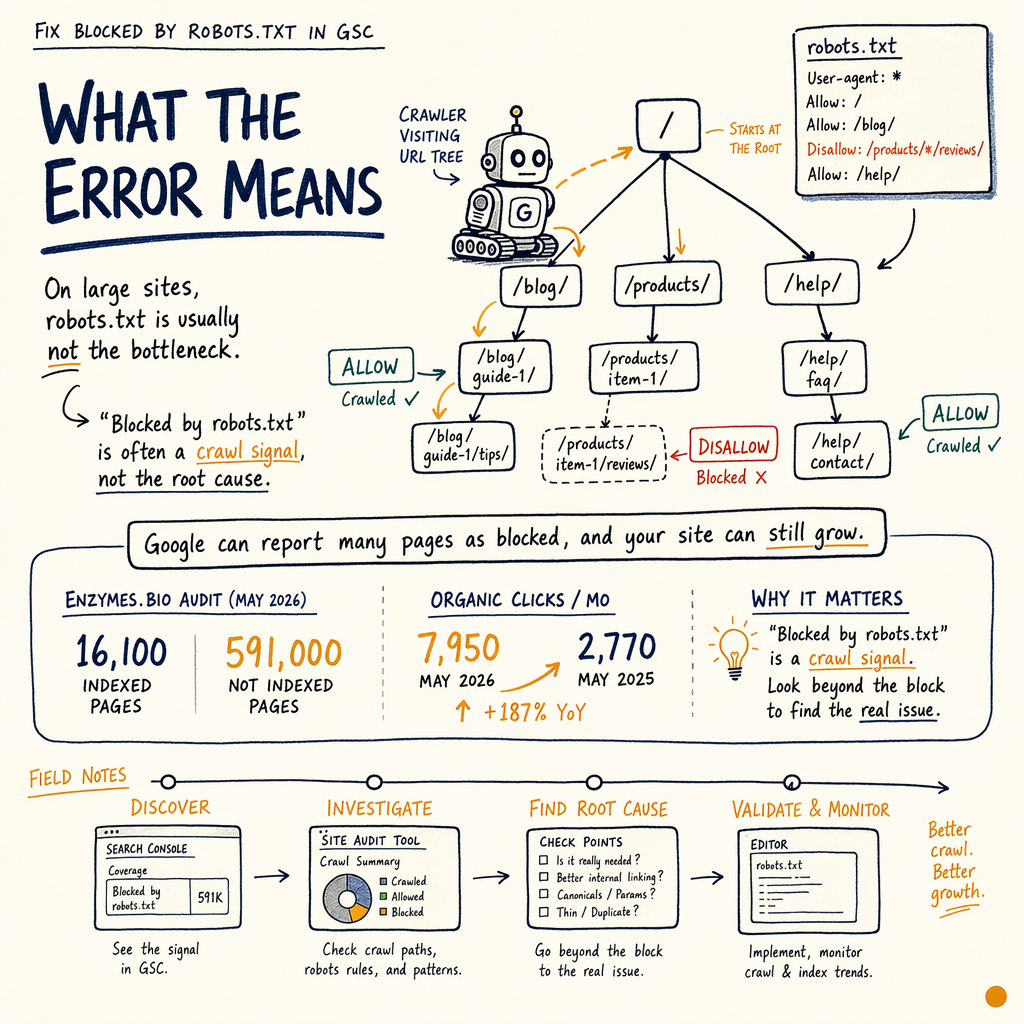
What the error means
On large sites, robots.txt is usually not the bottleneck. In the enzymes.bio audit, Google reported 16,100 indexed pages and 591,000 not indexed while the site still had 7,950 organic clicks/mo in May 2026, up from 2,770 in May 2025.
That matters because blocked by robots txt is often a crawl signal, not an indexing verdict. Google may already know the URL from links, sitemaps, or prior crawls, but it cannot fetch the content if the path is disallowed.
Start in Performance › Search results for the URL pattern, then cross-check Indexing › Pages. If the blocked URL is important, you need to know whether the block is intentional, temporary, or caused by a rewrite, prefix match, or environment rule.
Check the exact directive
`Disallow` prefix matching
A line like Disallow: /private/ blocks every URL that starts with that path. A missing trailing slash can change the match set. Compare /blog and /blog/, because Google treats them as different prefixes.
`Allow` does not rescue everything
Allow: only helps when the matcher can resolve a more specific path. If the broader rule is too aggressive, the page still lands in gsc blocked by robots state.
Non-200 `robots.txt` responses
Google expects /robots.txt to return 200. A 404 usually means no rules, but a 5xx can make crawling unstable. 301 and 302 redirects add another layer of failure if the final target is malformed.
False positives from parameter paths
Some templates generate blocked URLs with tracking parameters, session IDs, or faceted filters. If the canonical page is fine, the robots.txt error may only affect duplicates, not the money page.
Real block or false alarm
| Field | Real block | False alarm |
|---|---|---|
URL fetch in GSC | Blocked before HTML fetch | Page fetched elsewhere or indexed from other signals |
robots.txt | Explicit | Rule applies to a different prefix or environment |
HTTP status | Usually still |
|
Logs | Googlebot requests stop or drop sharply | Googlebot still requests the page, but on alternate URLs |
Fix | Edit | Clean up the wrong URL version or parameter pattern |
Audit the block fast
- 01
Open the live `robots.txt`
Request
https://example.com/robots.txtin the browser and in curl. You want the exact file Google sees, not a cached copy. Confirm the response is200, not a redirect chain to301/302. - 02
Test the exact URL
Check the blocked URL against the path rules. A page like
/collections/widgetsmay be blocked byDisallow: /collections/, while/collections/widgets?sort=pricemay be a separate pattern. Use the tester, then validate the live URL. - 03
Map the crawl surface
Use
Settings › Crawl statsto see whether Google is spending crawl on blocked paths. If crawl spikes on junk URLs, you have a crawl budget problem, not just a single-page issue. - 04
Check server logs
Look for
Googlebothits on the blocked URL, the200/304/404mix, and any429or5xxresponses. If aCloudflareworker or edge rule rewritesrobots.txt, the logs will show the wrong asset being served.
Fix platform-specific issues
In WordPress, the most common mistake is a plugin-generated robots.txt that blocks media folders, tag archives, or internal search URLs too broadly. See WordPress SEO and robots.txt best practices if the file is being shaped by theme code or a security plugin.
In Shopify, the platform file is limited, so most robots.txt blocked cases come from app rewrites, collection filters, or custom proxy logic. Check Shopify SEO when collection URLs, ?sort= parameters, or variant paths are being disallowed by mistake.
For large catalogs, pair Indexing › Pages with indexing troubleshooting. If the blocked URLs are low-value duplicates, the fix may be to leave them blocked and strengthen canonicals, internal links, and sitemaps instead.
Test with curl
curl -I https://example.com/robots.txt
curl -s https://example.com/robots.txt
curl -I https://example.com/blocked-page/
curl -I -A "Googlebot" https://example.com/blocked-page/

# Compare status codes: 200, 301, 302, 304, 404, 410, 429, 5xx
Use logs and crawl stats
The fastest way to tell whether the block is costing you crawl budget is to compare logs with GSC. In the enzymes.bio audit, the site had 557,000 impressions/mo and only 1.4% sitewide CTR, with an average position of 12.4. That is enough room for crawl and snippet fixes to matter, but only if Google can reach the pages.
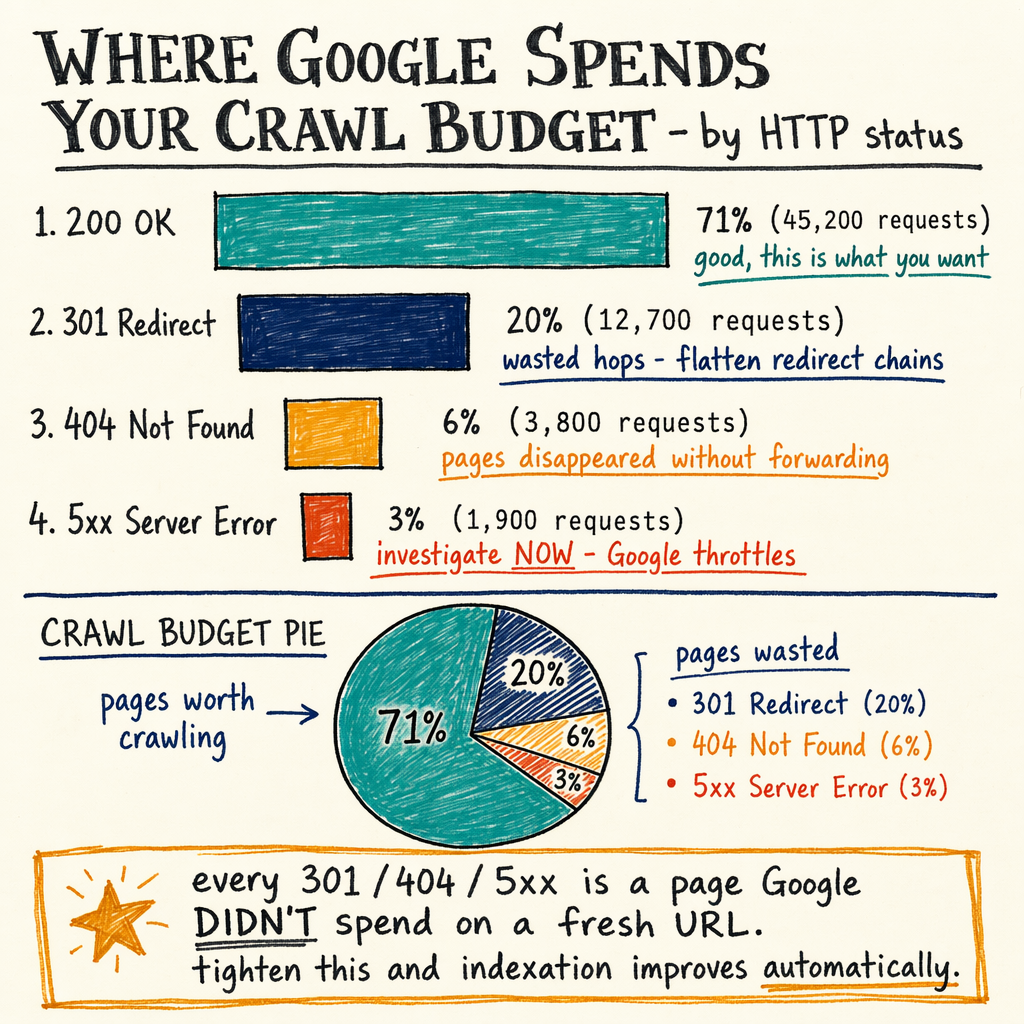
Check Settings › Crawl stats for spikes in response codes and fetch volume. Then match that against server logs for paths that should not exist. If blocked URLs are soaking up bot requests, you may need to tighten Disallow rules, canonicalize aggressively, or return 410 for dead paths instead of keeping them alive with 200.
Inspect the response
{
  "request": "/robots.txt",
  "expected_status": 200,
  "checklist": [
    "No redirect loop",
    "No stale cached file",
    "Correct disallow paths",
    "No accidental staging host rules",
    "No worker rewrite to /404 or /maintenance"
  ],
  "common_statuses": [200, 301, 302, 304, 404, 410, 429, 500, 502, 503]
}
Verify the fix
After the edit, request the file again, then fetch the target URL with a normal browser user agent and Googlebot. You want the path to return 200 unless the page itself is intentionally gone.
If the page was blocked by mistake, the next signal should be a crawl in logs, followed by a status change in Indexing › Pages. For blocked sections that should stay blocked, update your sitemap so only indexable URLs are listed. That keeps Google from wasting crawls on paths it cannot use.
If the issue is still noisy, review Enhancements › Breadcrumbs, Enhancements › Product snippets, and Enhancements › FAQ for template errors that point Google at the wrong URL variant.
FAQ
Does a blocked URL mean it is deindexed?
No. A URL can be blocked from crawling and still appear in search if Google already knows it from links or past crawls. The key question is whether the block is preventing fresh fetches.
Should I unblock everything in robots.txt?
No. Keep low-value filters, internal search, and duplicate paths blocked if they create crawl waste. The fix is to unblock only pages that need Googlebot access.
Why does GSC say blocked even after I changed the file?
Google may still have a cached view of the old file. Confirm the live 200 response, then wait for recrawl. If logs still show the old rules, an edge cache or worker is overriding origin.
What if the URL returns 404 or 410?
That is a different problem. robots.txt blocking is about crawl access, while 404 and 410 are response codes on the URL itself. A dead URL should usually be removed from sitemaps and internal links.
How do I know if crawl budget is the issue?
If Settings › Crawl stats shows heavy bot activity on junk URLs while important pages lag in discovery, you have crawl budget pressure. Block or consolidate the waste before you ask Google to re-crawl deeper pages.