Google indexing issues troubleshooting
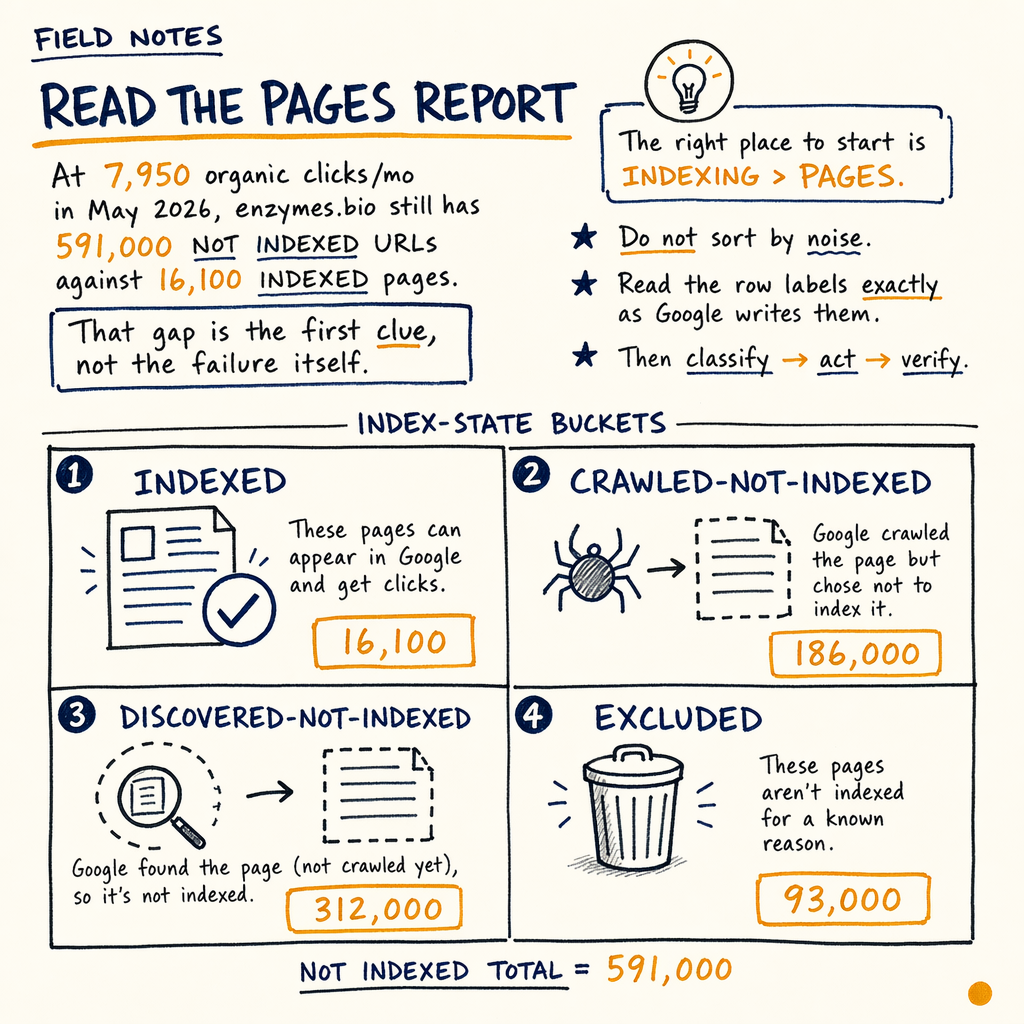
**16,100 pages are indexed and 591,000 are not.** That split is not a mystery if you read `Indexing › Pages` correctly and trace each bucket back to one crawl, canonical, or quality decision.
Read the Pages report
At 7,950 organic clicks/mo in May 2026, enzymes.bio still has 591,000 not indexed URLs against 16,100 indexed pages. That gap is the first clue, not the failure itself.
The right place to start is Indexing › Pages. Do not sort by noise. Read the row labels exactly as Google writes them, then classify each URL into one of three bins: discovery, crawl or fetch, or intentional exclusion.
If the site is large, the report will always contain some exclusions. The job is to separate normal exclusions from actual google indexing issues. A URL that is Blocked by robots.txt is a different problem from Crawled - currently not indexed, and both are different from a canonical mismatch.
For the current enzymes.bio audit, the site also has 0 external backlinks in Links › External links. That makes internal architecture and clean indexation the main rate-limiter, not link equity.
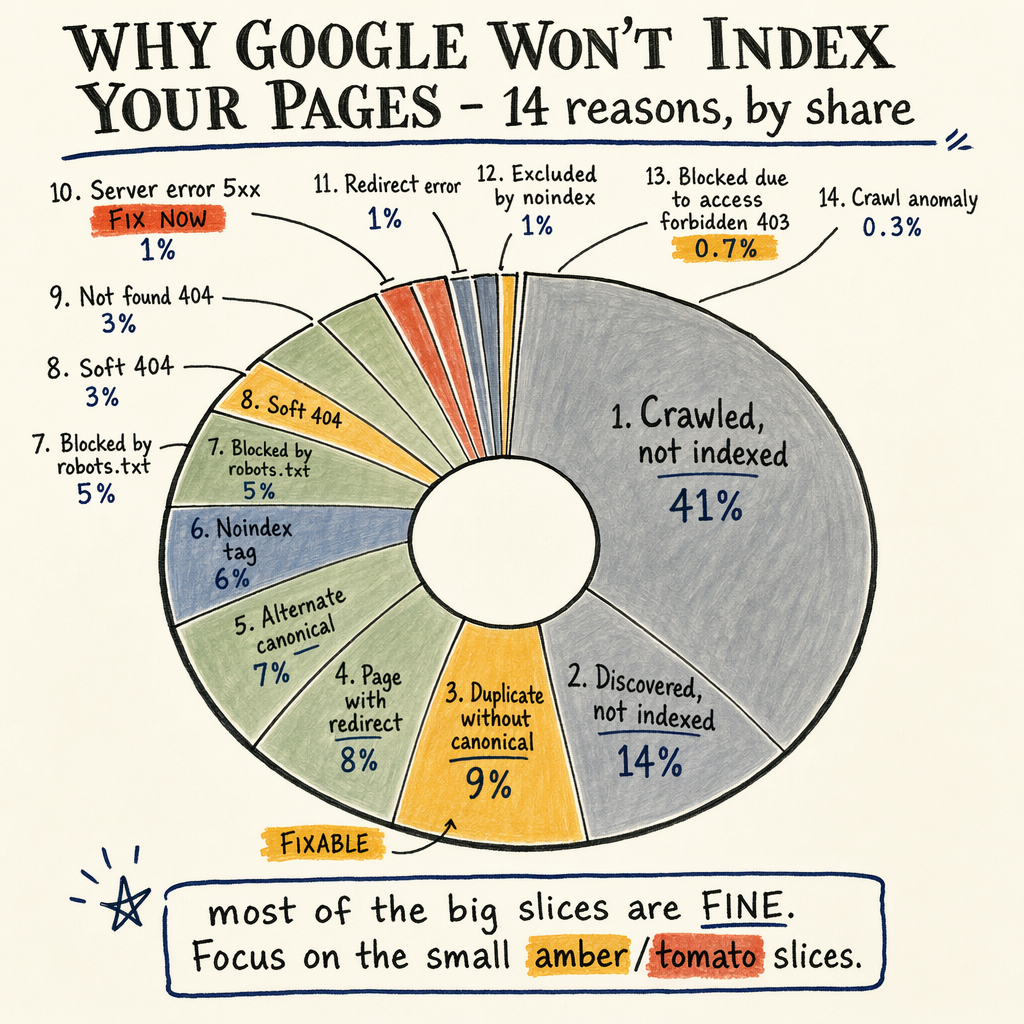
Map the 12 buckets
Discovered - currently not indexed
Google knows the URL exists, but has not crawled it yet. If this bucket is huge, check internal links, sitemap freshness, and crawl demand. See fix discovered pages.
Crawled - currently not indexed
Google fetched the page, then decided not to keep it in the index. This often points to thin content, duplication, or weak demand. See fix crawled pages.
Duplicate, Google chose different canonical
Your canonical hint lost the vote. Usually the issue is conflicting internal links, duplicate templates, or parameter URLs. See duplicate canonical fixes.
Alternate page with proper canonical tag
This is usually fine if the intended canonical is indexed. If not, the canonical cluster is broken or contradictory.
Excluded by `noindex` tag
The page is explicitly blocked from indexing. Confirm this is intentional before treating it as a problem.
Blocked by robots.txt
Google cannot crawl the URL path. This is a crawl control issue, not a content quality issue.
Soft 404
Google fetched a page that behaves like a dead or empty page. These are common on e-commerce out-of-stock pages and weak WordPress archive templates. See soft 404 fixes.
Page with redirect
The URL resolves, but not as a final indexable document. Check redirect chains, mixed destination signals, and whether the source URL still receives internal links.
Not found (404)
A true 404 should stay out of the index. The issue is usually internal links or sitemap entries pointing at dead URLs.
Server error (5xx)
Google could not get a stable response. If this persists, it blocks crawl recency and can suppress indexing.
Blocked due to access forbidden (403)
The server denied Googlebot. This is usually a security rule, WAF rule, or auth gate, not an SEO-content problem.
Duplicate without user-selected canonical
Google found duplicates and you did not give a strong enough canonical signal. This is the bucket that often needs a technical cleanup first.
Fix crawl discovery gaps
If Discovered - currently not indexed is high, the first question is simple: can Google find and prioritize the URL at all? That means internal links, sitemap inclusion, and crawl budget patterns.
Use Performance › Search results to identify whether the pages in question already get impressions. If they have zero impressions and weak linking, the issue is usually discovery. If they have impressions but no indexation, the issue is more often quality or duplication.
Then open Settings › Crawl stats. A healthy crawl log shows Googlebot spending time on HTML pages that matter, not endless parameter traps, faceted navigation, or low-value duplicates. If crawl demand is being burned on junk URLs, the fix is structural.
The enzymes.bio site has 35 languages via TranslatePress, so discovery problems can multiply fast when language paths, sitemaps, and canonicals drift. Multilingual setups need explicit control, not hope.
Inspect the sitemap signal
curl -I https://example.com/sitemap.xml
curl -s https://example.com/sitemap.xml | head -n 40

# Check whether the URL is in a submitted sitemap and returns 200
curl -I https://example.com/product/example-page/

# Compare source and target canonical paths
grep -n "<loc>\|<lastmod>" sitemap.xml
Check canonical and duplicate signals
Duplicate handling is the fastest way to create indexing problems at scale. If Google sees multiple URLs with the same or near-same content, it will choose a canonical cluster on its own unless you make the signal obvious.
Inspect the HTML source, internal links, sitemap entries, and redirects together. If the canonical points one way, but the breadcrumb, nav, and sitemap point another, Google usually ignores the hint. That is when Duplicate without user-selected canonical starts growing.
Enzymes.bio has 943 orders to date and $240,809 lifetime revenue at $255 AOV, so the commercial impact of a bad canonical pattern is not abstract. Every misindexed product or collection page can hide revenue-bearing URLs from Performance › Search results.
When you need a clean remediation path for duplicate clusters, use the dedicated fix guide for duplicate canonical issues.
Separate signal types
| Field | Discovery problem | Indexing problem |
|---|---|---|
Sitemap | URL missing or stale | URL present but still excluded |
Internal links | Weak or orphaned | Strong links, but Google still drops it |
Crawl stats | Low crawl hits on important paths | Crawl happens, but indexation fails |
Canonical | Not clearly declared | Declared, but contradicted elsewhere |
Content | Not enough discovery signals | Fetched page looks thin or repetitive |
Rule out quality and fetch issues
When Google fetches a URL and still leaves it out, the cause is usually one of four things: duplicate content, thin content, soft 404 behavior, or low perceived value compared with the rest of the site.
That is why Crawled - currently not indexed is a quality and evaluation problem more often than a crawling problem. Google already got the page. The question is whether the page deserves a slot in the index.
Check whether the page returns a real, useful HTML response on first load. A page that depends on late JavaScript hydration, hides content behind tabs, or renders almost nothing on mobile can look empty during fetch. If the page is a product or category URL, compare it against your top indexed templates. If the indexed template has unique copy, stable internal links, and a complete Breadcrumbs enhancement, while the excluded template has none of that, the reason is often obvious.
For WordPress soft-404 patterns, see soft 404 fixes. For fast triage of fetched-but-excluded URLs, see crawled page fixes.
Check rendered HTML
const url = 'https://example.com/product/example-page/';

fetch(url, { headers: { 'User-Agent': 'Mozilla/5.0' } })
  .then(r => r.text())
  .then(html => {
    console.log('Length:', html.length);
    console.log('Has H1:', /<h1[^>]*>/.test(html));
    console.log('Has canonical:', /rel=["']canonical["']/.test(html));
    console.log('Has product schema:', /Product/.test(html));
  });
Use GSC reports together
The Indexing › Sitemaps report is where you confirm that submitted URLs are actually known to Google. If a page is in the sitemap but missing from Indexing › Pages, that is not enough by itself to prove a problem. It only proves the URL was offered.
Experience › Core Web Vitals will not directly index a page, but a broken UX pattern can correlate with poor engagement and weak template quality. If the page is technically crawlable but unstable on load, the audit should treat that as part of the indexing diagnosis.
Enhancements › Breadcrumbs, Enhancements › Product snippets, and Enhancements › FAQ are not indexation reports either, but they expose template consistency. A page with valid structured data, stable breadcrumbs, and a clean canonical often survives the indexation filter better than a page with missing signals.
This is why the right workflow is: bucket the issue in Indexing › Pages, verify crawl and sitemap context, then inspect template quality and canonical consistency. Skipping straight to content edits wastes time.
Follow the fix path
- 01
Identify the exact row label
Start with the literal GSC bucket name.
Discovered - currently not indexed,Crawled - currently not indexed,Soft 404, orDuplicate without user-selected canonicaleach implies a different repair. - 02
Sample real URLs
Export a few affected URLs and test them manually. Look at status code, canonical, rendered content, internal links, and whether the page is even linked from a strong category or hub page.
- 03
Check sitemap and crawl stats
Confirm the URL is in
Indexing › Sitemaps, then inspectSettings › Crawl statsfor wasted crawl on filters, parameters, or redirect chains. - 04
Match the symptom to the fix
Discovery problems get links and sitemap hygiene. Crawl-and-quality problems get template cleanup, content consolidation, or canonical fixes. Redirect and noindex problems get configuration changes.
- 05
Revalidate and watch the bucket
After the change, resubmit the sitemap or request inspection only where it matters. Then watch the bucket trend over the next crawl cycle, not the next hour.
Common troubleshooting questions
Why is my page not indexed even though it is in the sitemap?
A sitemap only tells Google the URL exists. If the page is thin, duplicated, weakly linked, canonicalized elsewhere, or blocked by another signal, it can still stay out of the index.
What does Crawled - currently not indexed mean?
Google fetched the page but chose not to index it. That usually means the page looks repetitive, low value, or not worth keeping compared with other URLs on the site.
How do I fix Discovered - currently not indexed?
Increase internal links from indexable pages, clean up sitemap coverage, and reduce crawl waste. If the page is isolated or buried, Google may keep discovering it without prioritizing a crawl.
Is blocked by robots.txt always bad?
No. Some paths should stay blocked. It becomes a problem when an indexable page, important asset, or canonical target is blocked and Google cannot fetch it.
How long does indexing troubleshooting take?
Simple fixes can show movement after the next crawl cycle. Larger sites with duplicates, multilingual paths, or crawl waste usually need multiple passes before the buckets shrink.
What if the site has no external links?
Then internal structure matters more. On enzymes.bio, Links › External links shows 0 external backlinks, so crawl paths, canonicals, and sitemap hygiene carry more of the load.
Know when to escalate
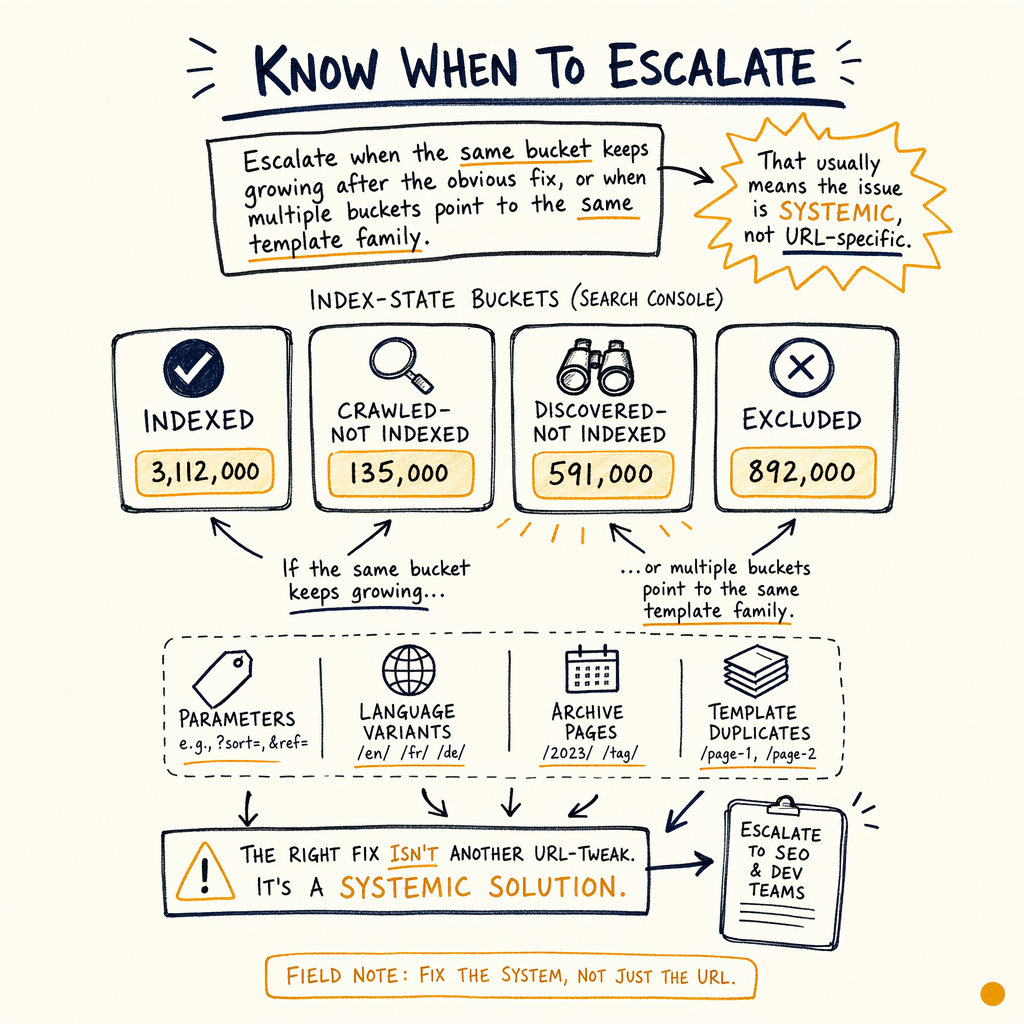
Escalate when the same bucket keeps growing after the obvious fix, or when multiple buckets point to the same template family. That usually means the issue is systemic, not URL-specific.
If 591,000 not indexed is driven by parameters, language variants, archive pages, or template duplicates, the right response is not to manually inspect every URL. It is to fix the rules that generate the URLs.
For sites with revenue at stake, the goal is not to make every URL indexable. The goal is to make the right URLs indexable and keep them there. If you need a broader recovery plan after the diagnosis, use ranking recovery support.