Schema Validator for JSON-LD QA
**7,950 organic clicks/mo, 557,000 impressions/mo, and 16,100 indexed pages** are exactly why schema QA matters. This download gives you the validator links, a Notion template, and a spreadsheet to catch markup drift before Google does.
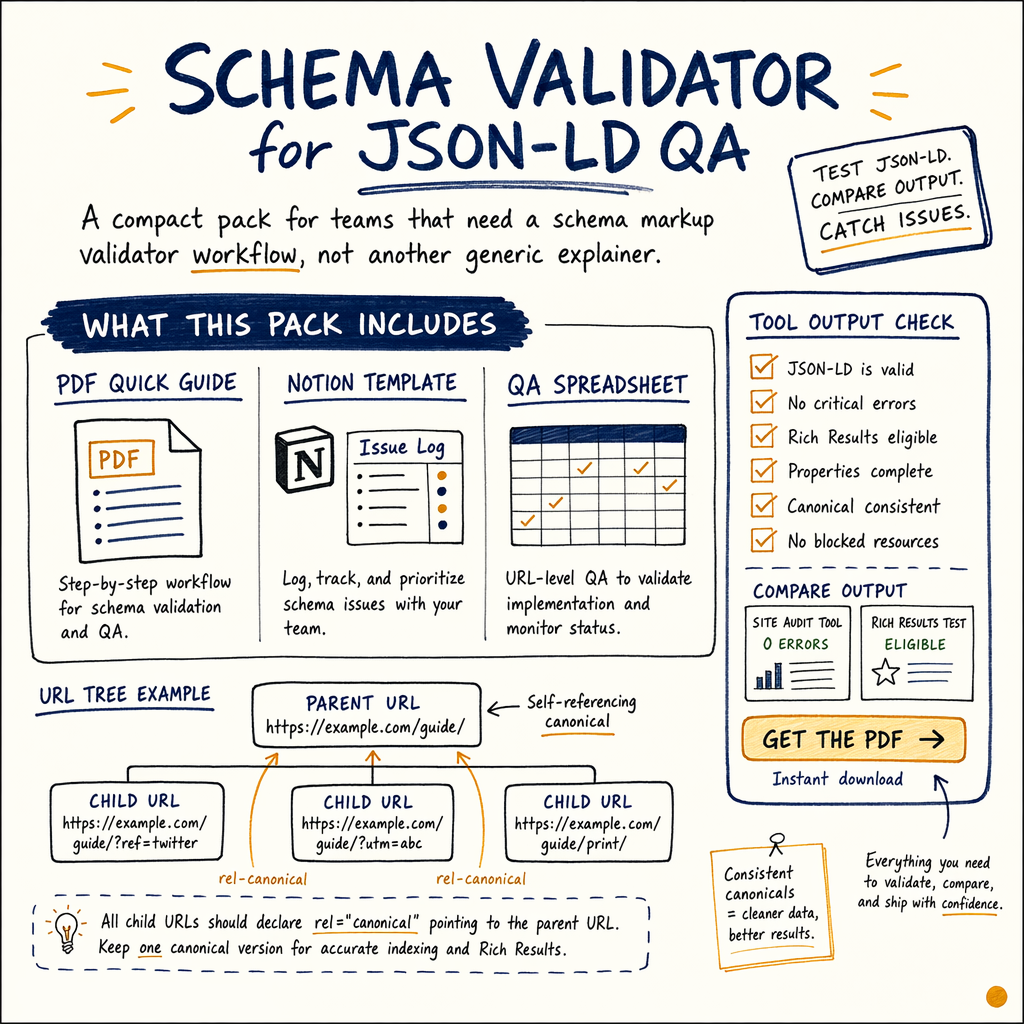
What this pack includes
This schema validator pack is a compact lead magnet for teams that need a schema markup validator workflow, not another generic explainer. It includes a PDF quick guide, a Notion template for issue logging, and a spreadsheet for URL-level QA.
Use it to test JSON-LD, compare Rich Results Test output with Schema Markup Validator output, and keep a clean audit trail. That matters when GSC shows 591,000 NOT indexed pages and the problem is partly structural, not content quality.
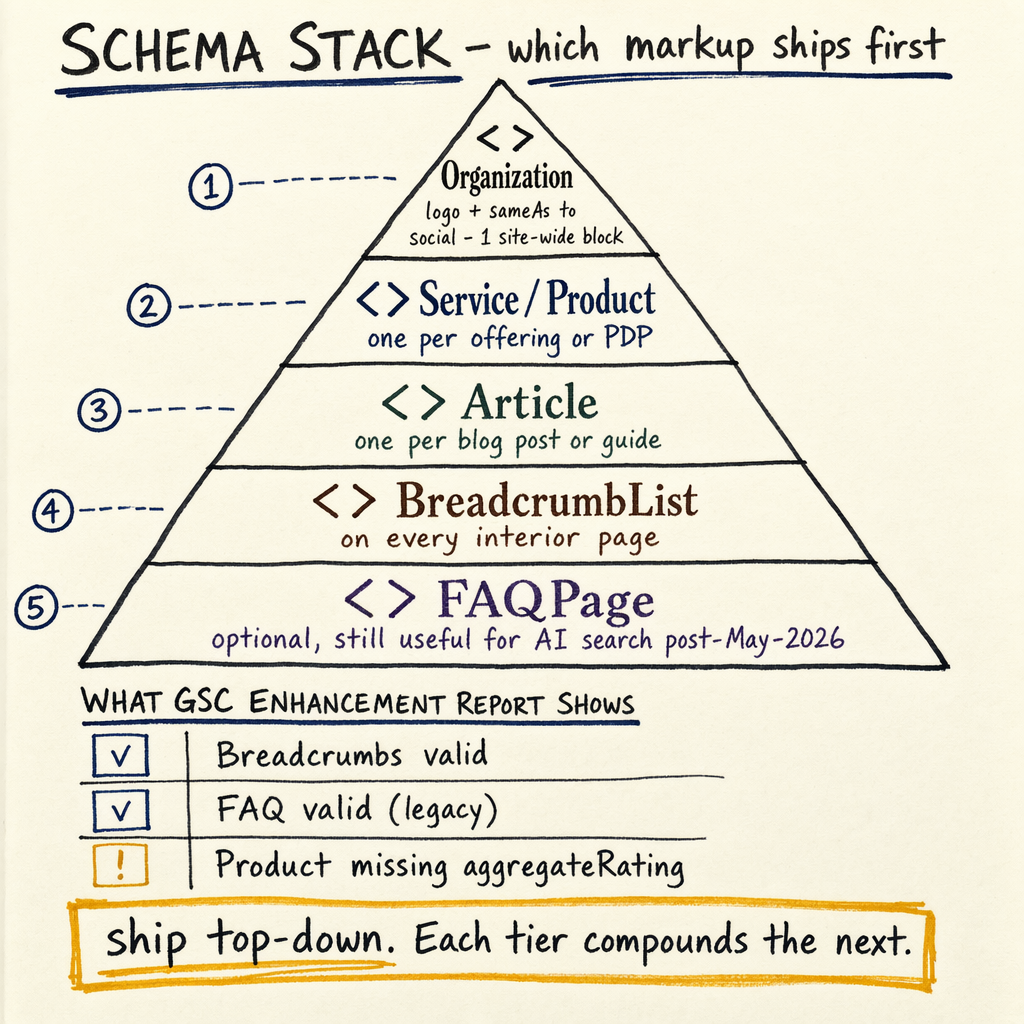
The page is built around the same first-pass checks used on large catalogs: validate the payload, confirm the page renders the block, and map the entity type to the template. If the page is a product, start from product schema. If it is a help article or FAQ, use FAQ schema.
What you download
PDF quick guide
A 2-page schema validator checklist with the exact fields to inspect: @context, @type, name, url, image, and offers.
Notion template
A ready-to-clone issue log with columns for URL, template, test tool, status, and fix owner.
Spreadsheet QA sheet
A copy-paste grid for bulk checks across 50, 500, or 5,000 URLs.
Why schema fails
Most failures are boring and fixable: missing required fields, invalid nesting, duplicate entities, or markup that does not match visible content. Google can parse the code and still ignore the result if the page does not meet the feature rules.
Use Indexing › Pages to spot template-wide coverage gaps, Enhancements › Product snippets for product issues, and Enhancements › FAQ for FAQ markup drops. On sites with 35 languages via TranslatePress, one bad template can multiply across every locale.
The audit pattern is simple: compare what is in the source, what renders in the browser, and what GSC reports after crawl. If Performance › Search results is healthy but rich result coverage is flat, the schema is probably the bottleneck.
Use the validator links
<ul>
  <li><a href="https://search.google.com/test/rich-results">Rich Results Test</a></li>
  <li><a href="https://validator.schema.org/">Schema Markup Validator</a></li>
  <li><a href="https://developers.google.com/search/docs/appearance/structured-data/intro-structured-data">Google structured data docs</a></li>
</ul>

<script type="application/ld+json">
{
  "@context": "https://schema.org",
  "@type": "WebPage",
  "name": "Schema Validator",
  "description": "JSON-LD validation links and download pack for structured data QA"
}
</script>
How to validate
- 01
Paste the live URL
Test the rendered page first, not just the CMS field. That catches theme or app-layer changes.
- 02
Check both tools
Run the URL through the
Rich Results Testand theSchema Markup Validator. One checks eligibility, the other checks syntax. - 03
Compare to GSC
Use
Enhancements › BreadcrumbsandEnhancements › Product snippetsto confirm Google is actually seeing the markup. - 04
Log the fix
Record the issue in the Notion template, then retest after crawl.
QA checklist
- ✓
Confirm
@typematches the page template. - ✓
Validate required fields:
name,url, and any feature-specific properties. - ✓
Make sure the JSON-LD matches visible content.
- ✓
Check one desktop and one mobile render.
- ✓
Verify
Indexing › Sitemapsincludes the template URLs. - ✓
Review
Settings › Crawl statsif fixes are not being picked up.
Download templates
The download is designed for quick internal use, not shelfware. The PDF is for analysts, the Notion page is for editors, and the spreadsheet is for bulk QA. That makes it easier to hand off work between SEO, dev, and content.
If you want the markup built or cleaned up for you, see schema markup implementation. If you want a broader audit around crawling, rendering, and indexation, start with technical SEO audit.
Need more context on which schema types matter? Use schema markup types and structured data testing tools as the companion reading list.
Schema help
Is a schema validator the same as a rich results test?
No. The Rich Results Test checks Google feature eligibility. A schema validator checks whether the structured data is syntactically valid.
Do I need JSON-LD only?
For most sites, yes. JSON-LD is easier to maintain and less fragile than inline microdata.
What should I test first?
Start with the template that affects money pages: products, breadcrumbs, FAQ, and articles.
Why do results change after crawl?
Google reprocesses structured data after recrawl. If Settings › Crawl stats is low, the fix can take longer to show up.
Can this help with ecommerce?
Yes. Product pages with clean schema can feed better snippet eligibility, especially when the page has clear price, availability, and review fields.